How to create a remix link
Learn how to obtain and share a remix link so others can duplicate your project.
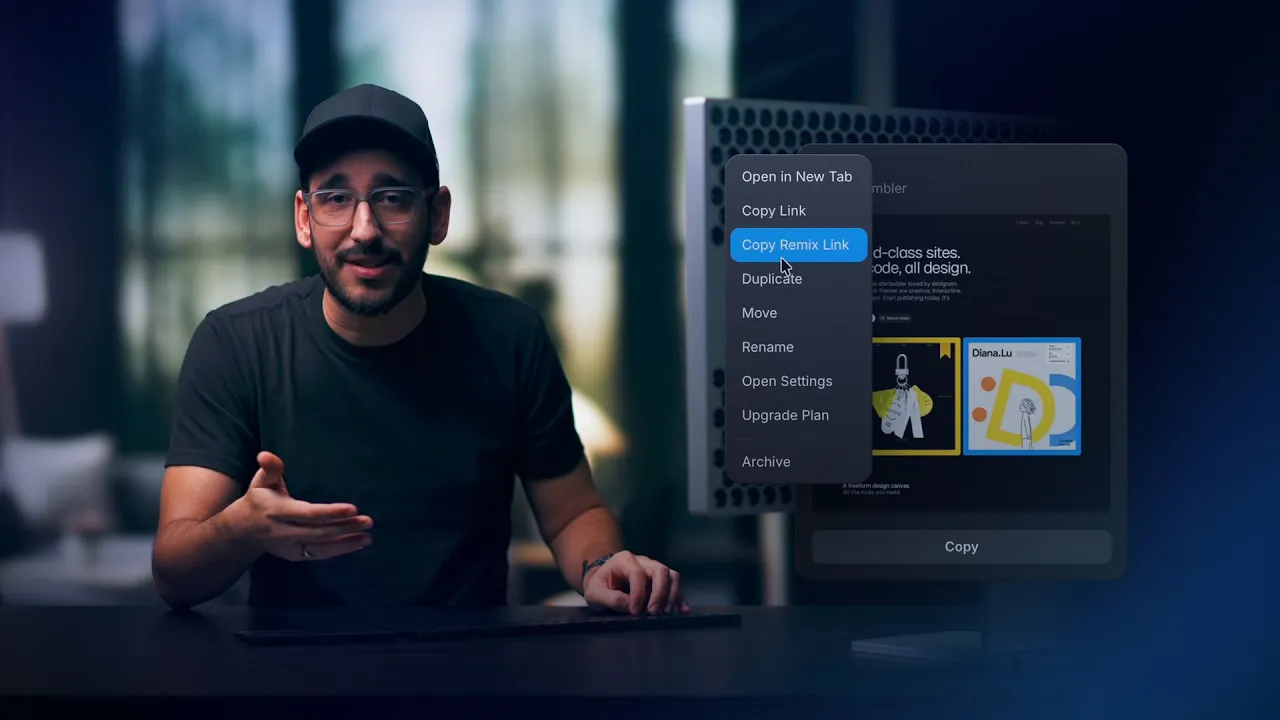
You can allow anyone to copy your Framer project into their own workspace by sharing a remix link. Recipients can customize the project, make it their own, and publish the remixed site in seconds.
There are several ways to obtain a remix link, depending on where you are working in Framer. Each method gives you the same result, so you can choose whichever is most convenient in your workflow.
From the dashboard
If you are browsing your projects from the dashboard, you can quickly access the remix link without opening the project.
Go to your Framer dashboard.
Hover over the project you want to share.
Click the ••• that appears on the project card.
Select Copy Remix Link.
From within a project
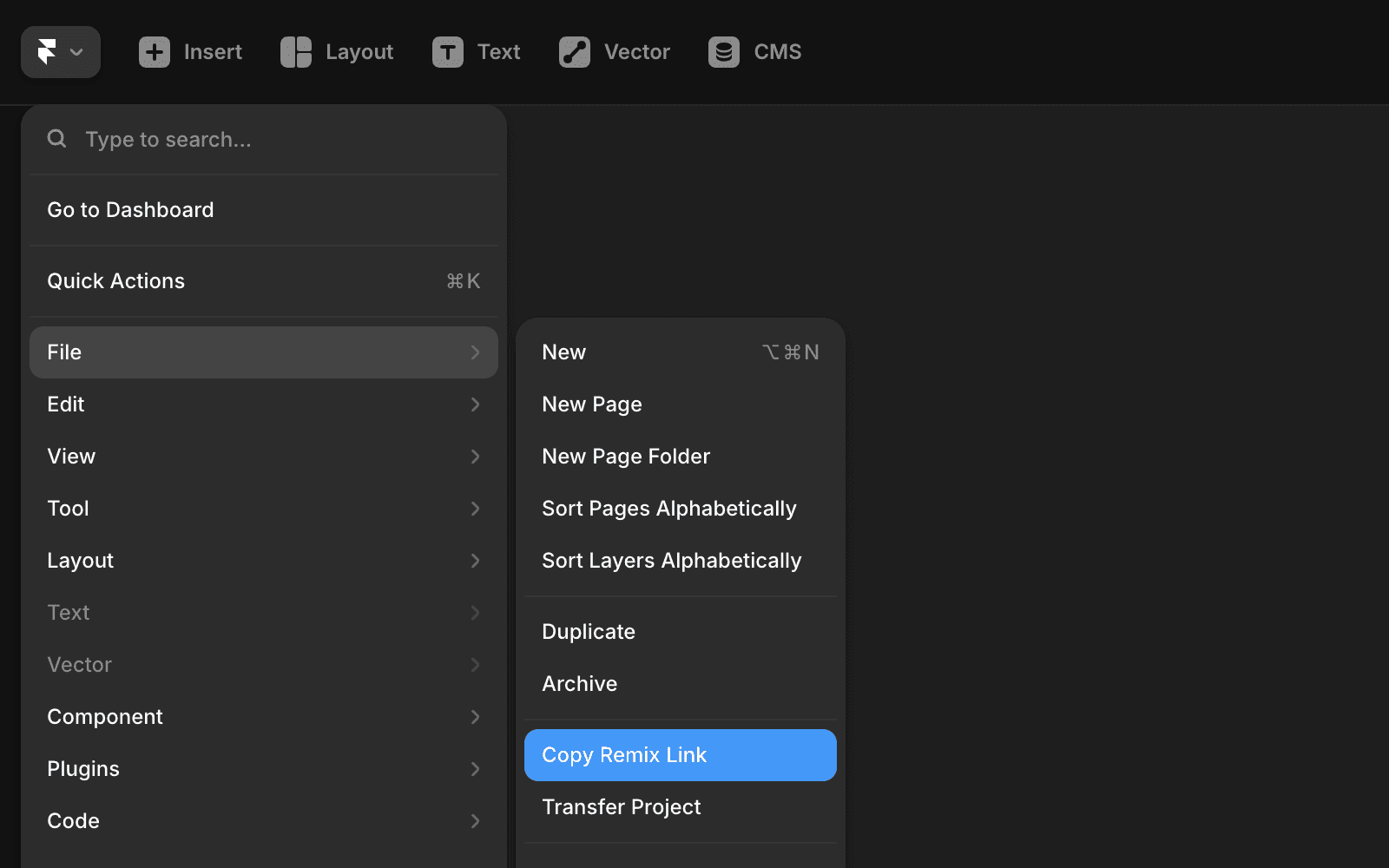
If you already have the project open, you can copy the remix link directly from the main menu.
Open your project in Framer.
Open the top-right menu.
Hover over File.
Select Copy Remix Link.
Using quick actions
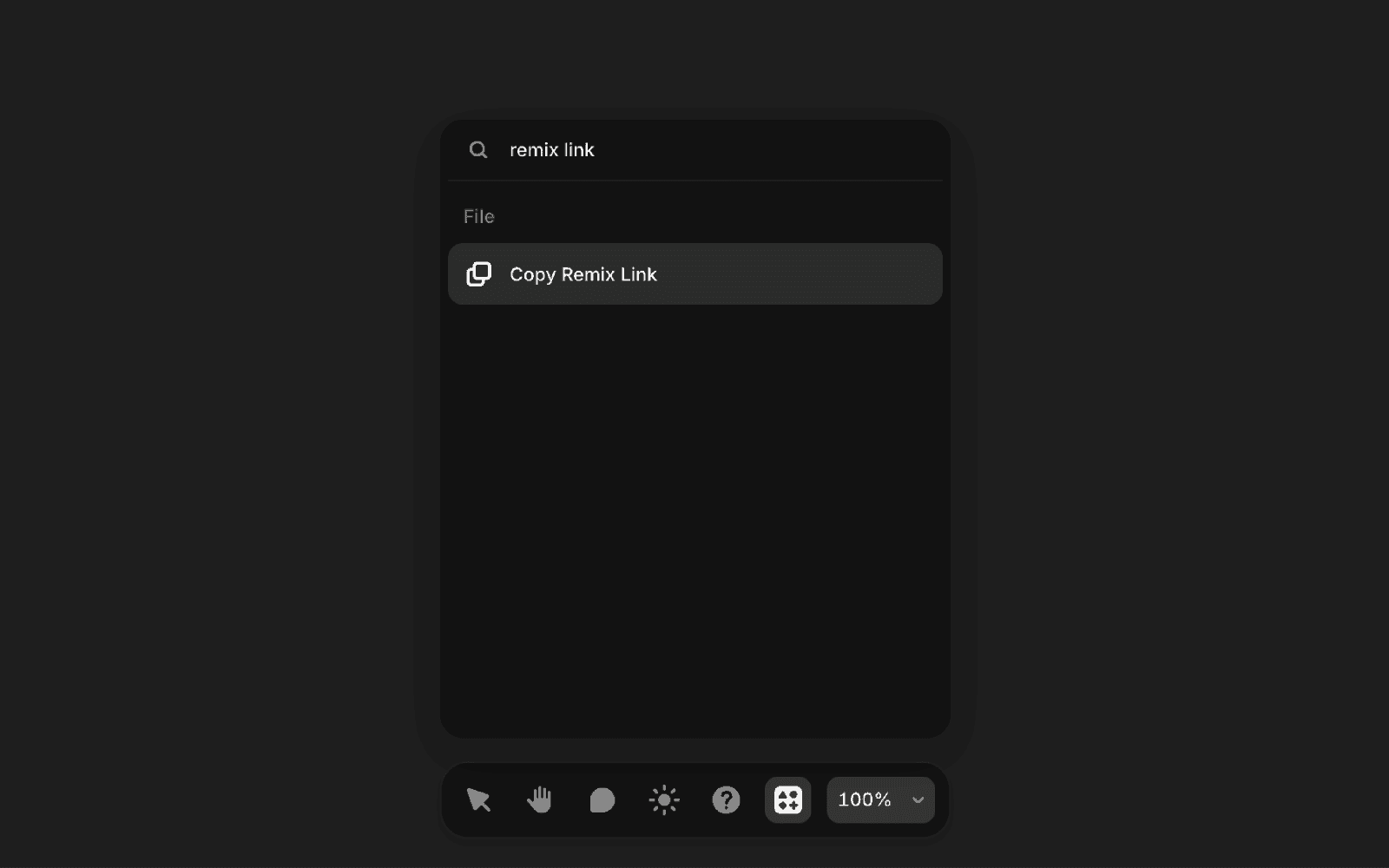
For a faster, keyboard-driven workflow, you can use Quick Actions to access the remix link.
Press
⌘K(Mac) orCtrl+K(Windows) to open Quick Actions.Type “Remix”.
Select Copy Remix Link and press Enter.
After copying, the remix link is saved to your clipboard and ready to share. You can paste it into emails, messages, Slack, or even submit it as a template to the Framer marketplace.
Note: If your project is set to “Only team members can access”, the remix link will be disabled. You can adjust this setting in the invite popover.
FAQ
How do I create a remix link in Framer?
In the top-left menu, go to File and select Copy Remix Link. This will copy the remix link to your clipboard, making it easy to share.
Why is the remix link option disabled for my project?
If your project is set to 'Only team members can access', the remix link will be disabled. You can adjust this setting in the invite popover.
What happens when someone opens a remix link?
When you click a remix link, you’ll see the project name, author, and a preview of the first page. Clicking 'Copy' will create an exact copy of the project in your workspace.
Updated