How to use semantic tags for navigation and footers
Learn how to apply semantic HTML tags to navigation bars and footers in Framer to improve accessibility and site structure.
Semantic HTML tags help search engines and assistive technologies better understand your content. In Framer, you can apply these tags directly to frames to create a more accessible and well-structured website.
Applying the nav tag
Use the nav tag to identify sections that contain primary navigation links.
Select the layer that contains your navigation links.
In the Properties panel, open the “Accessibility” section.
Click the “Tag” dropdown and select nav.
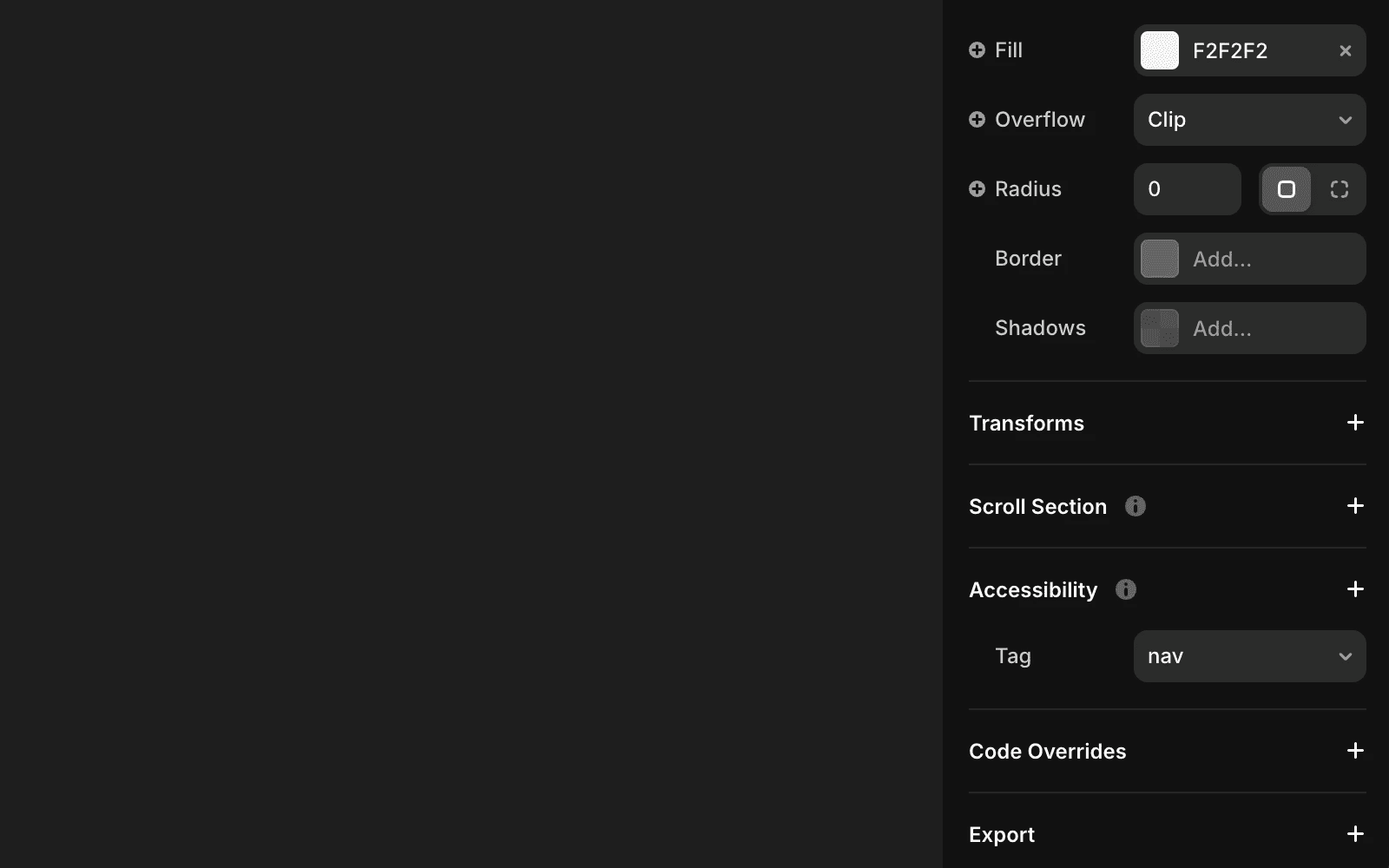
This designates the selected frame as a navigation section, improving clarity for screen readers and search engines.
Applying the footer tag
Use the footer tag to mark the footer section of your page.
Select the layer that serves as your footer.
In the Properties panel, open the “Accessibility” section.
Click the “Tag” dropdown and select footer.
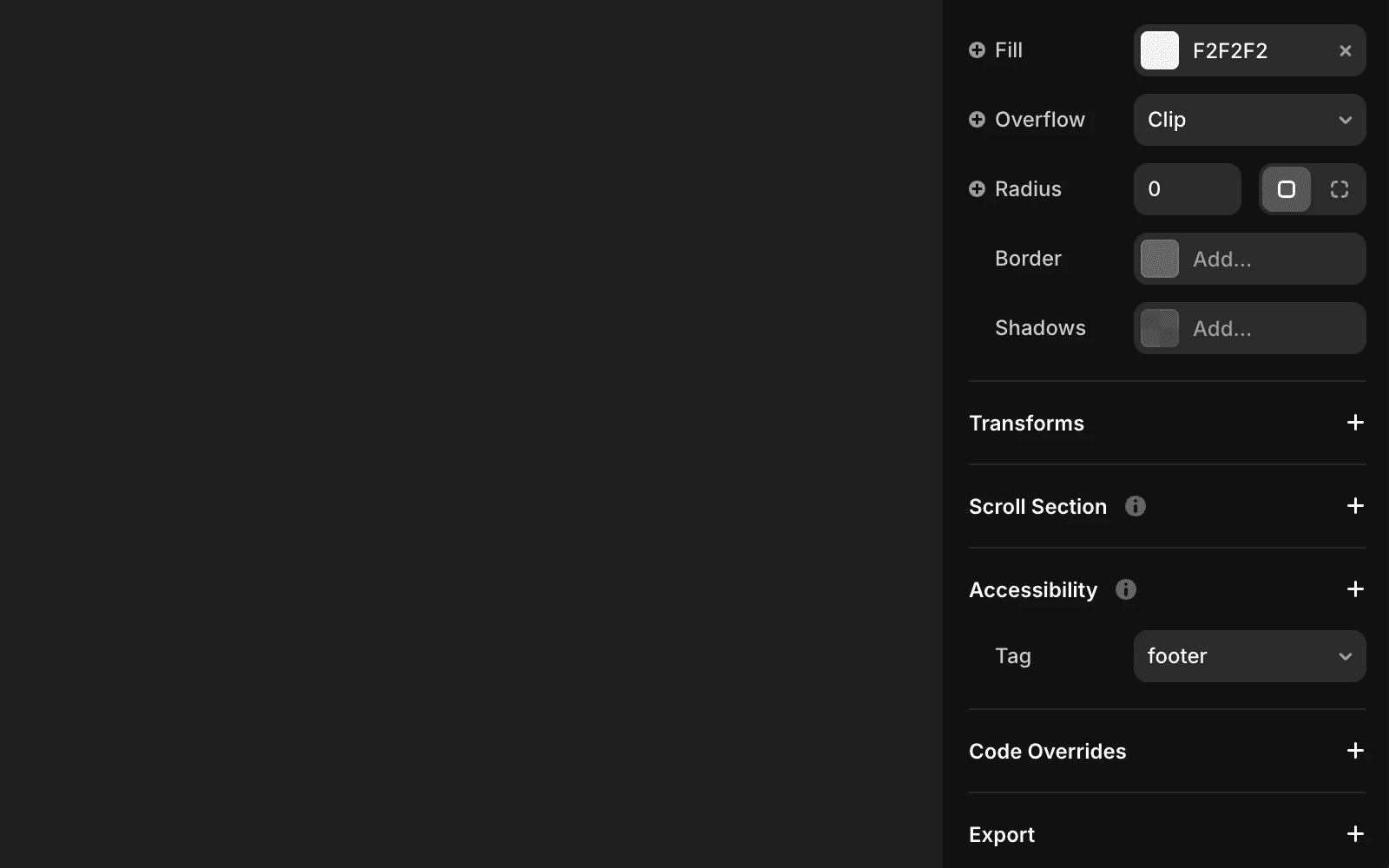
This marks the frame as a footer, adding meaningful structure to your page.
Using semantic tags improves accessibility and SEO by making it easier for assistive technologies and search engines to interpret your site’s layout and purpose.
How do I apply the <nav> tag to my navigation bar in Framer?
To apply the <nav> tag to your navigation bar, click on the layer containing your navigation links. In the properties panel, go to the “Accessibility” section, click the “Tag” dropdown, and select <nav>. This designates the frame as a navigation section, improving structure and accessibility.
What is the process for adding a <footer> tag to my footer in Framer?
To apply the <footer> tag, click on the layer serving as your footer. In the properties panel, under “Accessibility,” open the “Tag” dropdown and choose <footer>. This marks the frame as a footer, enhancing its semantic meaning.
Why should I use semantic tags like <nav> and <footer> in my Framer project?
Using these tags improves your site’s accessibility and SEO by making it easier for search engines and assistive technologies to interpret your content.
Updated