Framer vs Codex: Operate the website or orchestrate work across a project?
Codex is an agentic work environment that can edit repositories, run tools, coordinate parallel tasks, and extend workflows with skills. Framer is the website system itself: canvas, CMS, hosting, SEO, domains, and publishing. Framer owns the destination; Codex can help perform work around it.












Framer vs Codex by system ownership and type of work
Decision factor | Framer | Codex | How to read the difference |
|---|---|---|---|
Platform role | System of record for a live website | Agent workspace for code and knowledge work | Framer owns the destination; Codex performs tasks |
Working model | Direct canvas, CMS, and site settings | Threads, tools, repositories, skills, and automations | Codex spans a wider operating surface |
Team access | Designers, marketers, editors, and developers | People delegating technical or multi-step work | Framer makes routine site ownership direct |
Review | Visual branches and website preview | Diffs, artifacts, annotations, and task history | Each review model matches its output |
Publishing | Managed website deployment and domains | Can work with deployment tools and project workflows | Framer provides the persistent production layer |
Best fit | Operating a branded public website | Executing work across code, files, data, and apps | Use both when agent work should land in a maintained site |
Framer site plans vs Codex access through ChatGPT plans and credits
Pricing question | Framer | Codex | Planning note |
|---|---|---|---|
What is purchased | A plan for building and running a website | Codex access is included in eligible ChatGPT plans, with additional credits available | The products fund different outcomes |
Usage driver | Site capacity, editors, CMS, locales, and bandwidth | Agent activity, model limits, and purchased credits | Estimate production ownership separately from delegated work |
Delivery | Website hosting and publishing are included | Deployment depends on the project and tools Codex is asked to use | A Codex task does not replace the production platform |
Organization | Enterprise site options are sales-led | Business and Enterprise plans add organizational controls | Evaluate governance at both the website and agent layers |
Choose Framer as the durable home for the website



Pages, components, content, breakpoints, and publishing settings stay visible to the people responsible for the brand, not only to an agent working through files or tools.




A marketer can fix copy, update a CMS record, adjust metadata, and publish without opening a new engineering task.

Agent workflows can research, write, audit, or automate around a Framer project while the final site remains reviewable on its canvas and branches.


Codex is the stronger choice for repositories, scripts, data analysis, automation, and long-running tasks that extend beyond the website editor.
Build visually without engineering overhead
Framer Agents work on actual site pages while keeping AI changes editable on the canvas instead of only in code.
This comparison fits External Agents because Codex, Claude Code, Cursor, and similar tools can connect to Framer workflows.
Use the canvas when generated code or UI needs visual refinement, responsive layout control, and team editing.
Framer CMS is useful when Codex output needs to become landing pages, comparisons, or content hubs teams can manage.
Framer keeps metadata, headings, FAQs, and answer-ready copy in the same workflow used to edit the page.
Framer turns AI-assisted website work into a hosted, publishable update without staying in a code deployment loop.
The practical verdict on Framer vs Codex




Compare Framer with other tools














Frequently asked questions
What is the main difference between Framer and Codex?
Codex is an agentic work environment that can edit repositories, run tools, coordinate parallel tasks, and extend workflows with skills. Framer is the website system itself: canvas, CMS, hosting, SEO, domains, and publishing. Framer owns the destination; Codex can help perform work around it.
Who should choose Framer over Codex?
Use Framer to own and publish the website. Use Codex to take on technical and operational work, including work that can feed improvements back into Framer. Pages, components, content, breakpoints, and publishing settings stay visible to the people responsible for the brand, not only to an agent working through files or tools.
When is Codex the better choice?
Codex is the stronger choice for repositories, scripts, data analysis, automation, and long-running tasks that extend beyond the website editor.
How does the editing workflow differ from Codex?
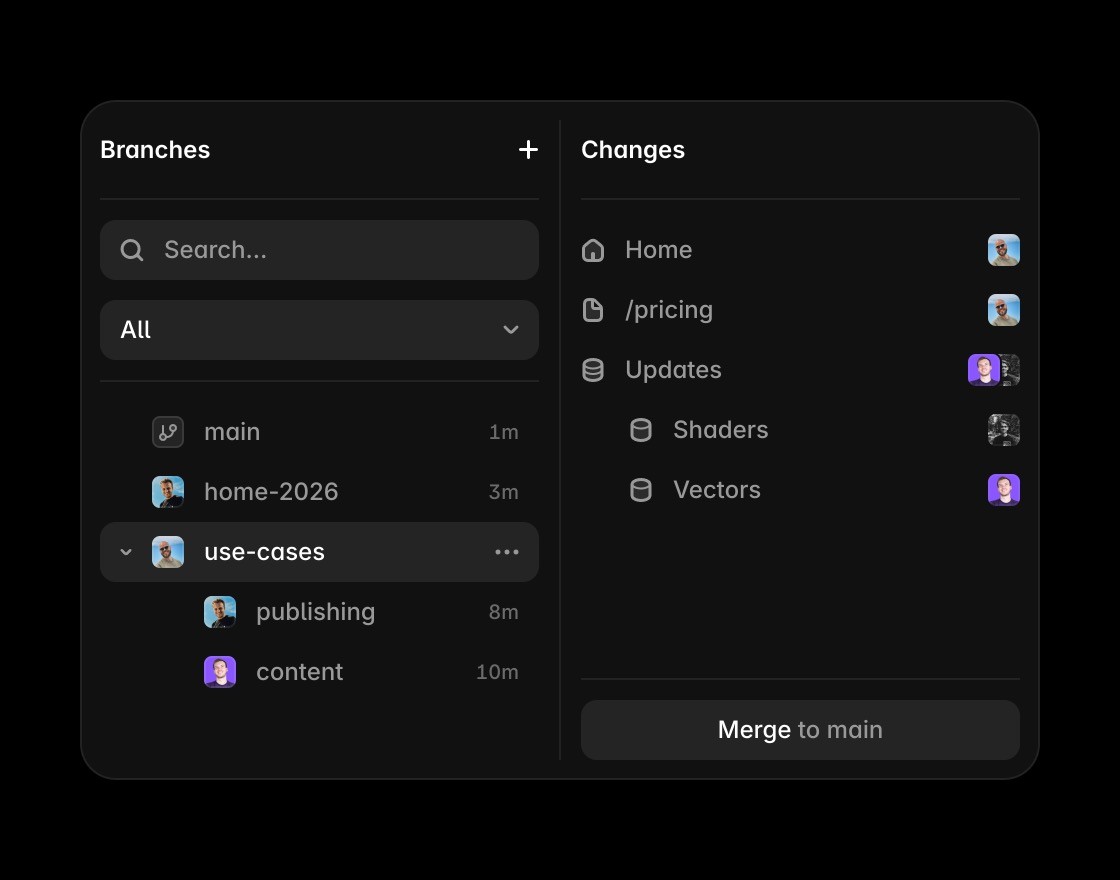
Use agents for bounded work around the site. Research, audits, copy production, and structured updates can be delegated without turning the agent thread into the long-term content system. Framer branches expose the visual outcome while Codex threads expose the work and diffs that produced it.
How should a team compare Framer and Codex pricing?
Framer plans fund the website and its operation. Codex is available through eligible ChatGPT plans with additional credits available, so budget agent work separately from site capacity and hosting.
Can Framer and Codex be used together?
Codex can research, draft, audit, automate, and make structured updates around a Framer project. Framer should remain the durable location for approved pages, CMS records, design decisions, domains, and production state.
