Search
Turn Figma designs into live websites with Framer
Framer gives teams a practical Figma to HTML workflow without exporting static code. Import your Figma design, refine it on a visual canvas, use AI agents to improve your copy and layout, add CMS and SEO controls, and publish a fully responsive live website without the traditional engineering handoff, from first draft through launch.

ANTHEM
anthem.framer.website


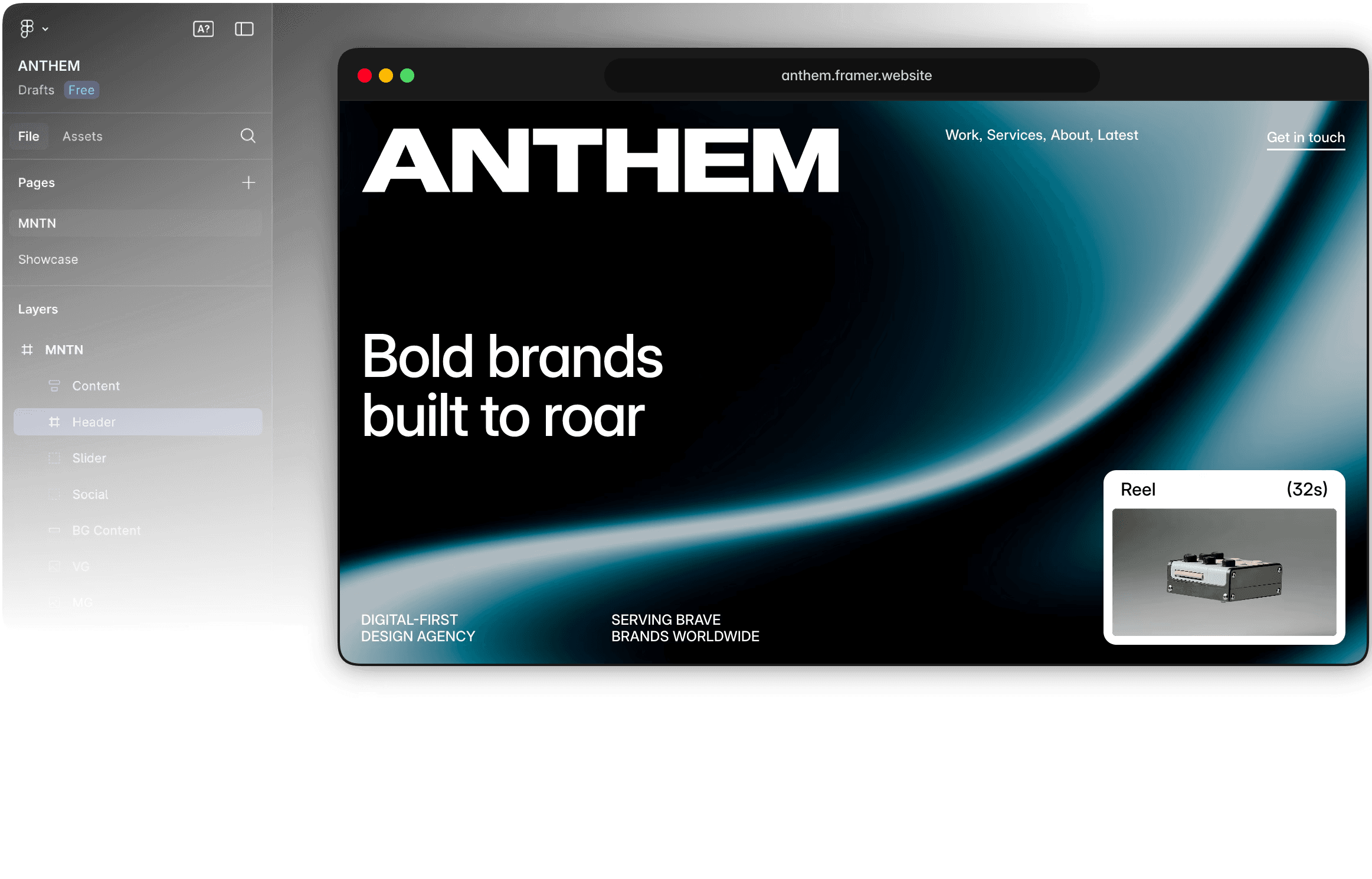

Go from Figma to a live website
Import Figma layouts into Framer
Framer’s Figma plugin lets you bring designs into Framer while keeping layers, groups, and structure. It creates an easier path from mockup to editable website, not a static code export, while staying flexible for iteration.
Refine the imported design for web
Enhance static Figma designs with interactions, animations, responsive breakpoints, reusable components, and state changes in Framer. AI agents can then help refine copy, structure, and SEO controls before publishing.
Publish with hosting and SEO
Framer turns imported designs into hosted websites with performance, mobile responsiveness, and SEO controls built in. That gives teams a publishable site they can keep editing after launch, as content evolves.
Why designers build websites with Framer

Unlike template-based builders, Framer lets you design websites the way you want. AI agents in the side panel can help explore layout variations while every detail stays editable.

Framer automatically optimizes for peak website performance and SEO, and AI agents in the side panel can help spot opportunities across metadata, structure, and page quality.

Work together in real time, make instant edits, and publish live websites with one click from a shared design canvas, keeping feedback close and handoff simple.

Create polished responsive layouts for every device and screen size, then run AI-assisted checks to refine and perfect pages across breakpoints before launch.
How to turn a Figma design into a website
1. Import the design direction
Bring Figma layouts into Framer so the page can become a live, editable website instead of a static export. The workflow keeps design intent visible while giving you a real web canvas to refine.
2. Clean up for responsive screens
Adjust layout, spacing, typography, images, and breakpoints on the canvas for real web behavior. This helps preserve the original direction while making the page responsive and production-ready.
3. Add production content
Layer in CMS fields, SEO metadata, structured content, links, and interactions where the design needs them. The result is a managed website workflow rather than a folder of HTML, CSS, and JavaScript to maintain.
4. Publish without exporting code
Ship the site with managed hosting, SSL, staging, redirects, and updates built into Framer. You can keep the page editable for future content and design changes after it goes live, with no need to loop in a developer.
Trusted by teams shipping big sites









Explore Framer’s solutions for designers
Responsive websites
Design adaptive layouts and fine-tune every breakpoint without code.
UI/UX design
Design interactive interfaces and turn realistic prototypes into live sites.
Website builder
Create polished, responsive websites with design, CMS, SEO, and hosting.
AI design tool
Explore editable design directions with AI agents on a freeform canvas.
Figma to website
Turn Figma designs into responsive, editable websites ready to publish.
AI designer
Improve existing Framer sites with AI Agent edits, reviews, and refinements.
Design tool
Explore ideas on a freeform canvas and move the best direction to the web.
Portfolio websites
Showcase design, photography, and creative work with a custom portfolio.
Frequently asked questions
Can I turn a Figma design into a live website with Framer?
Yes. Framer lets you bring Figma designs into a visual web canvas and turn them into responsive, editable pages. Instead of exporting a folder of code, you can refine layouts, add interactions, connect CMS content, and publish a production-ready website from the same workspace, without handoff or rebuilding from scratch.
Yes. Framer lets you bring Figma designs into a visual web canvas and turn them into responsive, editable pages. Instead of exporting a folder of code, you can refine layouts, add interactions, connect CMS content, and publish a production-ready website from the same workspace, without handoff or rebuilding from scratch.
How does the Figma to HTML workflow work in Framer?
Use the Figma to HTML with Framer plugin to copy frames, layers, and visual structure from Figma, then paste them into Framer for final web refinement. Once imported, you can adjust responsive behavior, replace static pieces with real components, and publish the result as a live Framer site, faster and with more control.
Use the Figma to HTML with Framer plugin to copy frames, layers, and visual structure from Figma, then paste them into Framer for final web refinement. Once imported, you can adjust responsive behavior, replace static pieces with real components, and publish the result as a live Framer site, faster and with more control.
Will my Figma layers stay editable after import?
Imported designs remain editable in Framer, so you can adjust text, spacing, images, sections, and layout details directly on the canvas. Some complex Figma structures may need cleanup for the web, but the workflow is built to preserve creative control instead of flattening the design entirely into something static.
Imported designs remain editable in Framer, so you can adjust text, spacing, images, sections, and layout details directly on the canvas. Some complex Figma structures may need cleanup for the web, but the workflow is built to preserve creative control instead of flattening the design entirely into something static.
Can Framer make imported Figma designs responsive?
Yes. After import, you can tune breakpoints, stacks, grids, and section behavior so the page works across desktop, tablet, and mobile. Framer gives designers precise responsive controls while keeping the original design direction intact and ready for a polished launch.
Yes. After import, you can tune breakpoints, stacks, grids, and section behavior so the page works across desktop, tablet, and mobile. Framer gives designers precise responsive controls while keeping the original design direction intact and ready for a polished launch.
Does Framer export raw HTML, CSS, and JavaScript?
No. Framer turns Figma work into a live React-based website rather than a downloadable folder of static HTML, CSS, and JavaScript files. That means you get managed hosting, performance, SEO controls, and publishing built in, while the site stays editable for future design updates over time as your project evolves.
No. Framer turns Figma work into a live React-based website rather than a downloadable folder of static HTML, CSS, and JavaScript files. That means you get managed hosting, performance, SEO controls, and publishing built in, while the site stays editable for future design updates over time as your project evolves.
Your next idea starts here
Create personal portfolio
Build startup site
Launch landing page
Start company blog
