Framer vs Contentful: A website platform or composable content infrastructure?
Contentful is an API-first content platform for delivering structured content across websites, apps, and other channels. Framer combines a CMS with the visual front end and hosting. The choice is less about which CMS has more features and more about whether the organization needs one website or a composable content layer.












Framer vs Contentful for websites, structured content, and delivery
Decision factor | Framer | Contentful | How to read the difference |
|---|---|---|---|
Platform role | CMS, visual front end, and hosting | Composable, API-first content platform | Framer owns the site; Contentful supplies many experiences |
Presentation layer | Designed and published inside Framer | Built separately or with Contentful Studio | Contentful usually sits inside a broader stack |
Content delivery | Website pages and Framer APIs | Structured content delivered across channels | Contentful is built for omnichannel reuse |
Editorial control | Edit records and page layout together | Structured authoring, workflows, and visual tools | Framer gives website teams more direct layout control |
Operations | Managed site hosting and release workflow | Content platform plus chosen front ends and infrastructure | Framer reduces the number of systems to run |
Best fit | A marketing site owned by design and content teams | Multi-brand, multi-channel content architecture | Scale the architecture to the actual delivery problem |
Framer site plans vs Contentful platform and space pricing
Pricing question | Framer | Contentful | Planning note |
|---|---|---|---|
Free entry | Free site for evaluation and lightweight publishing | Free platform plan for learning and smaller usage | Both provide a no-cost starting point |
Paid team | Basic and Pro price the managed website workflow | Lite is listed at $300 per month for one smaller business project | Contentful prices a content platform, not a finished front end |
Enterprise | Custom site and organization options | Custom platform pricing with governance, security, support, and larger quotas | Scope users, spaces, locales, API calls, and delivery channels |
Full cost | Hosting and the presentation layer are included | Budget for front-end development, hosting, and optional Studio or Personalization | Architecture is the main cost difference |
Choose Framer when the main destination is a marketing website



Framer keeps content models, page design, responsive behavior, and hosting in one product. Teams can publish without building and operating a second presentation layer.




Editors can update a CMS record and also adjust the page composition, components, and campaign modules instead of staying inside a structured-content form.

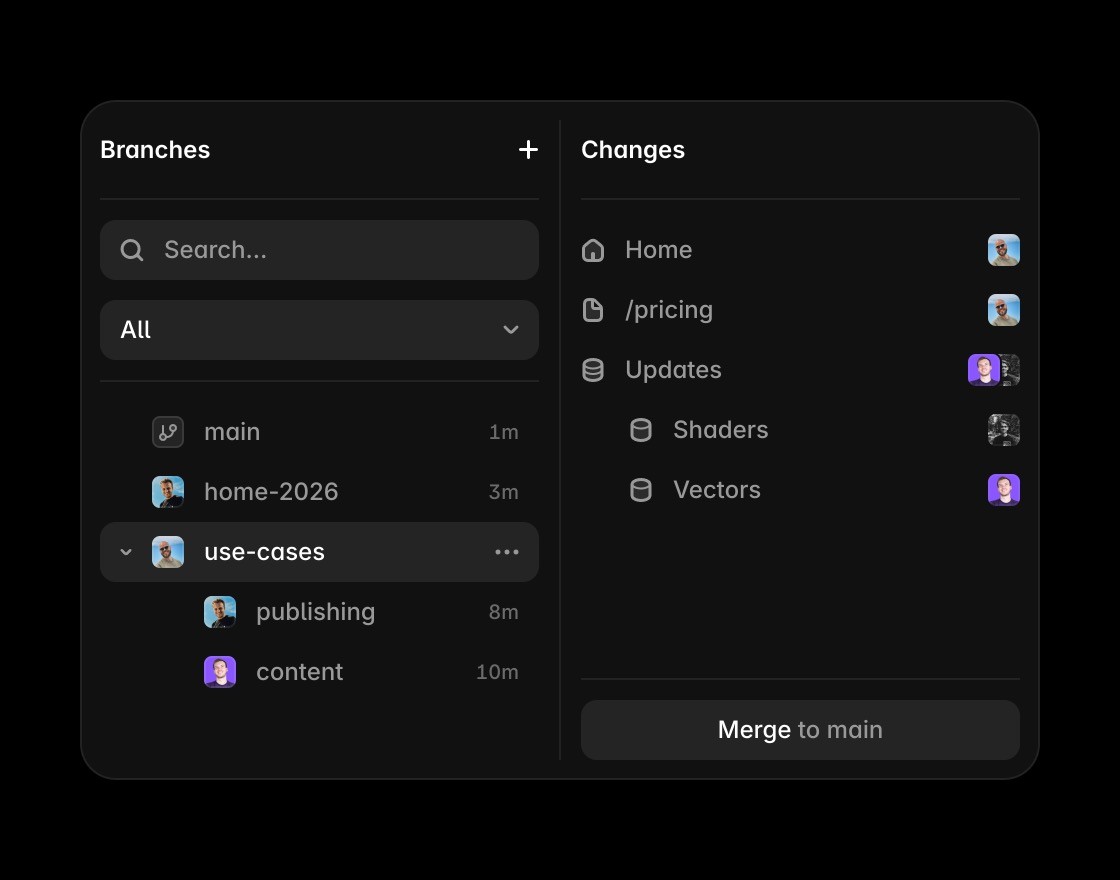
Branches and staging show content and design together, which is useful when a launch changes navigation, sections, and records at the same time.


Contentful is the stronger fit when the same governed content must feed many products, regions, brands, and custom applications through APIs.
Connect CMS strategy to a live website
Framer connects CMS fields to the actual page so editors can review structured content in the context of the live website.
Use the canvas when the comparison is about turning CMS content into pages with layout and visual hierarchy.
Framer brings metadata, headings, FAQs, and structured answer content close to the CMS-powered page.
Framer publishes CMS-backed pages without requiring a separate front-end stack, deployment flow, or hosting setup.
Agents can draft pages, update CMS content, and review SEO gaps while keeping approved changes editable.
Explore Framer resources for content hubs, CMS pages, components, and production-ready website patterns.
The practical verdict on Framer vs Contentful






Compare Framer with other tools














Frequently asked questions
What is the main difference between Framer and Contentful?
Contentful is an API-first content platform for delivering structured content across websites, apps, and other channels. Framer combines a CMS with the visual front end and hosting. The choice is less about which CMS has more features and more about whether the organization needs one website or a composable content layer.
Who should choose Framer over Contentful?
Framer is simpler for one design-led website. Contentful earns its complexity when structured content must serve many experiences and development teams. In Framer, content models, page design, responsive behavior, and hosting live in one product. A team can publish without building and operating a second presentation layer.
When is Contentful the better choice?
Contentful is the stronger fit when the same governed content must feed many products, regions, brands, and custom applications through APIs.
How does the editing workflow differ from Contentful?
Give marketers control beyond field values. Teams can revise the composition around content instead of filing a front-end request for every new landing-page pattern. There is no separate framework, preview application, hosting provider, or API integration to maintain for the core site.
How should a team compare Framer and Contentful pricing?
Contentful's free and Lite tiers price the content platform, while enterprise plans expand governance and scale. Add front-end development, hosting, and optional products before comparing that architecture with an integrated Framer site plan.
Can Framer and Contentful be used together?
A coded Framer integration can consume external content, but the normal Framer CMS workflow is simpler when the site is the only destination. Keep Contentful when other apps and channels also depend on the same governed records.
