Upgrade your Framer plan
Learn how to upgrade your Site plan in Framer and how billing adjustments work.
You can upgrade your Framer Site plan at any time from your project settings. When upgrading during an active billing period, Framer automatically adjusts the charge based on the unused portion of your current plan.
Upgrading your site plan
To upgrade your Site plan in Framer, follow these steps:
Log in to your Framer account.
Open the Dashboard and select the project you want to downgrade.
Click the top-left menu, and choose Settings.
In the site settings, open the Plans tab.
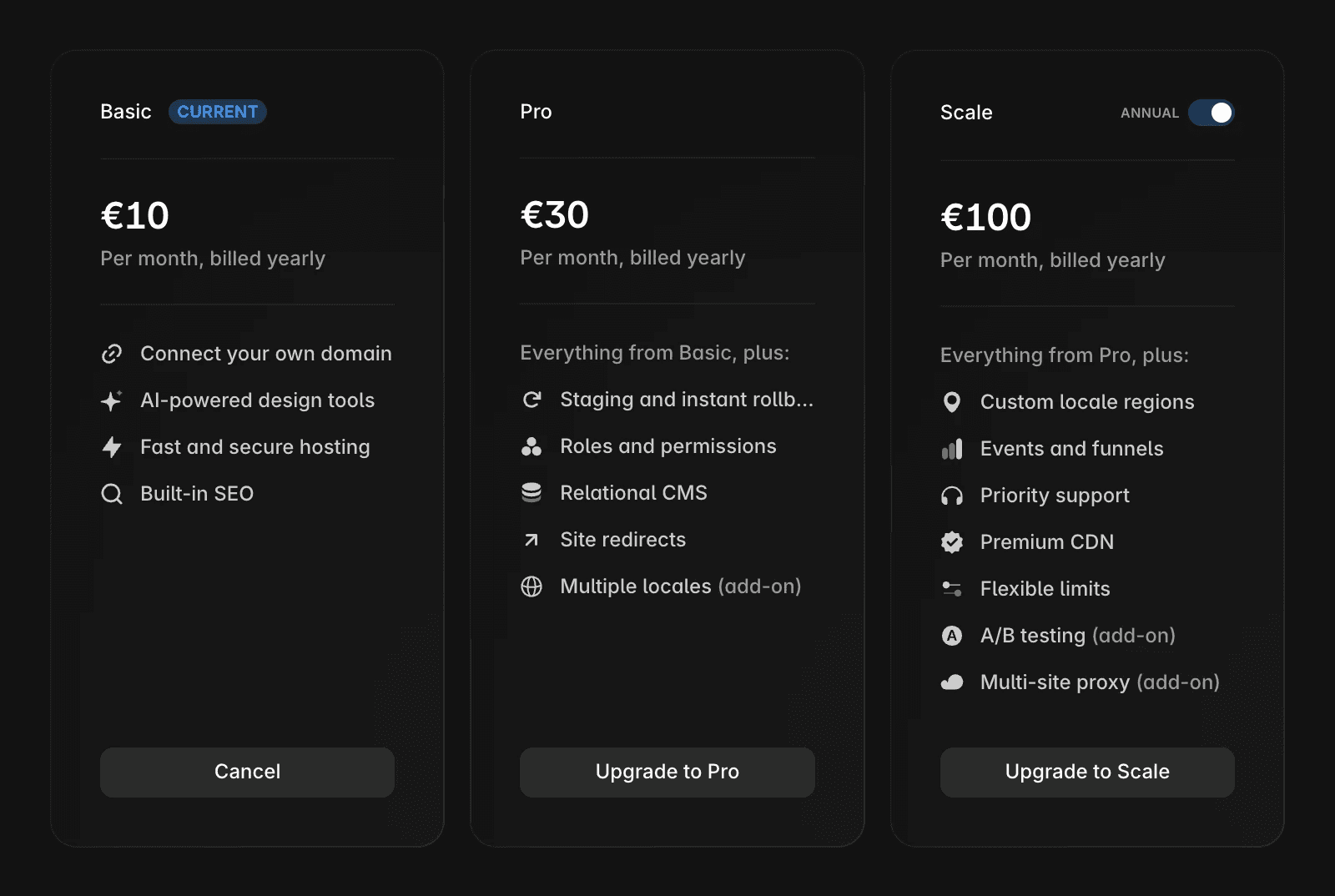
Review the available Site plans and their features.
Select the plan you want to downgrade to and follow the on-screen instructions to complete the change.
Billing adjustments when upgrading
If you upgrade during an active billing period, Framer accounts for the amount you have already paid for your current plan.
Instead of charging the full price of the higher-tier plan immediately, the system applies a credit for the unused portion of your current subscription. This credit is automatically applied to the upgrade, so you only pay the adjusted difference.
Enterprise plans
This article does not apply to Enterprise plans. If you are currently on an Enterprise plan or want to upgrade to one, visit the Framer Enterprise page.
FAQ
How do I upgrade my Framer site plan?
To upgrade your site subscription in Framer, log in to your Framer account. In the dashboard, click on the specific project you want to upgrade. Click the top-left menu and select “Site Settings” > “Open Settings”. In the project settings, go to the “Plans” tab. At the top, you’ll see the available site plans and their features. Choose the plan you want to upgrade to and follow the on-screen instructions to complete the payment process.
How can I increase the editor limit in my Framer workspace?
To enable up to ten editors in your workspace, upgrade any of your site plans to the Pro or Scale plan.
What happens to my billing if I upgrade to a higher-tier Framer plan during a billing period?
If you upgrade your subscription from a lower-tier to a higher-tier plan during a billing period, the system accounts for the amount already paid. Instead of charging the full price of the higher-tier plan immediately, it applies a credit based on the unused portion of your current subscription.
Updated