How to add links inside the accordion component
In this guide, we explain how to add links inside the answer field of an accordion component in three simple steps.
Steps to update the accordion component
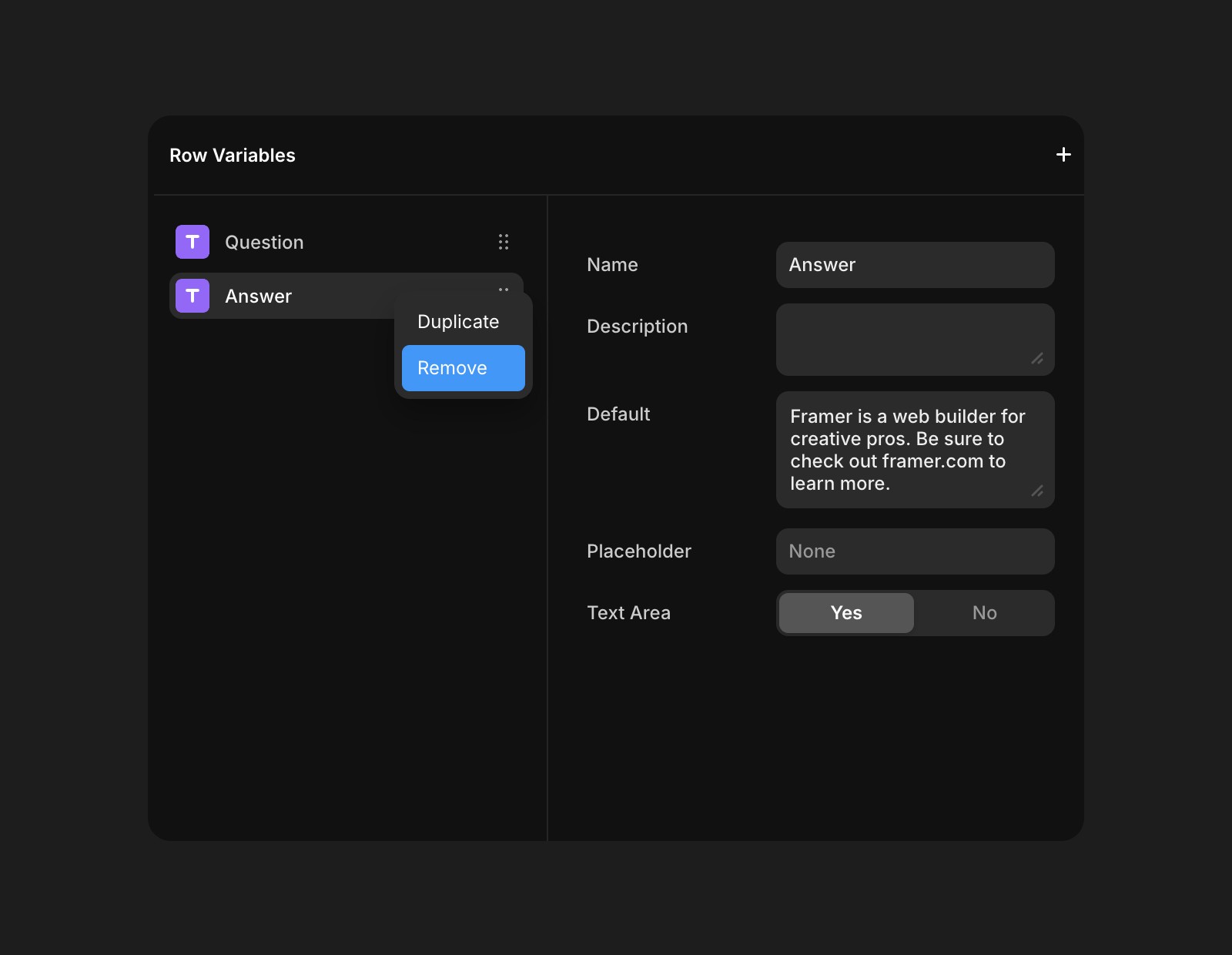
Remove the existing Answer field:
Inside the component, click Variables.
Right-click the Answer field and select Remove.
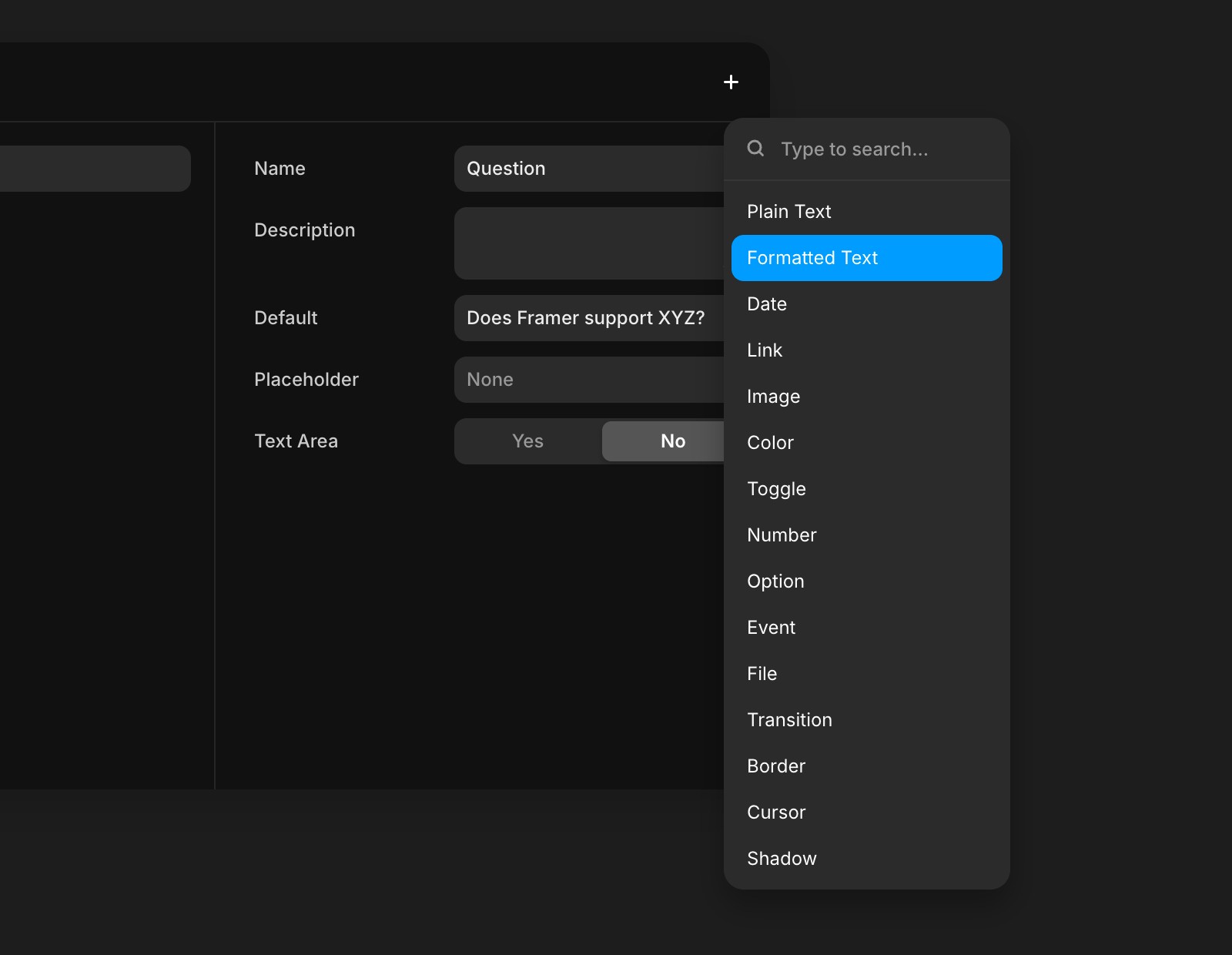
Add a Formatted Text field:
Add a Formatted Text field in place of the removed field and name it Answer.
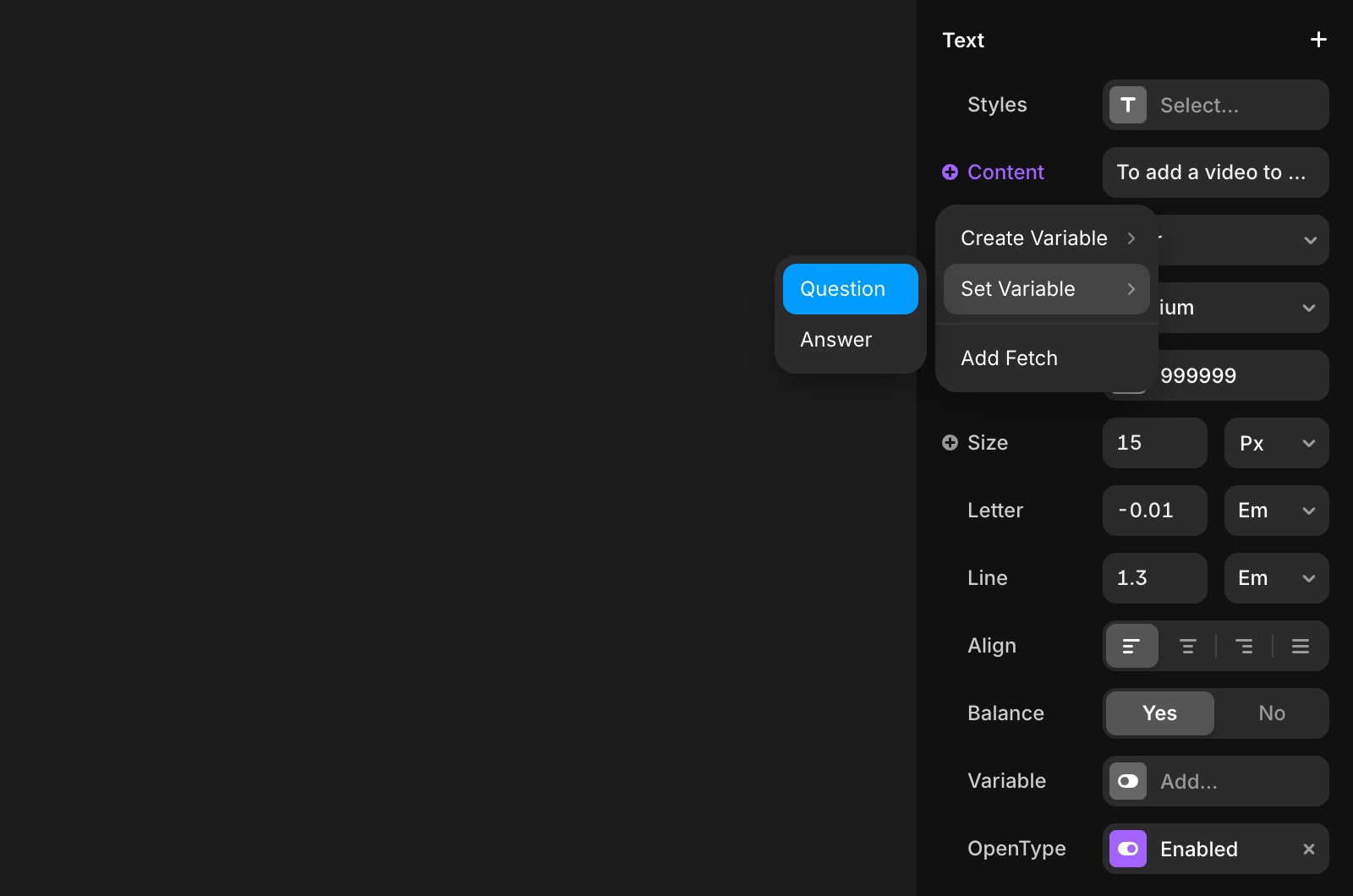
Set the Answer variable:
Select the Answer layer on the left.
Click the + icon next to Content on the right.
Choose Set Variable and select Answer.
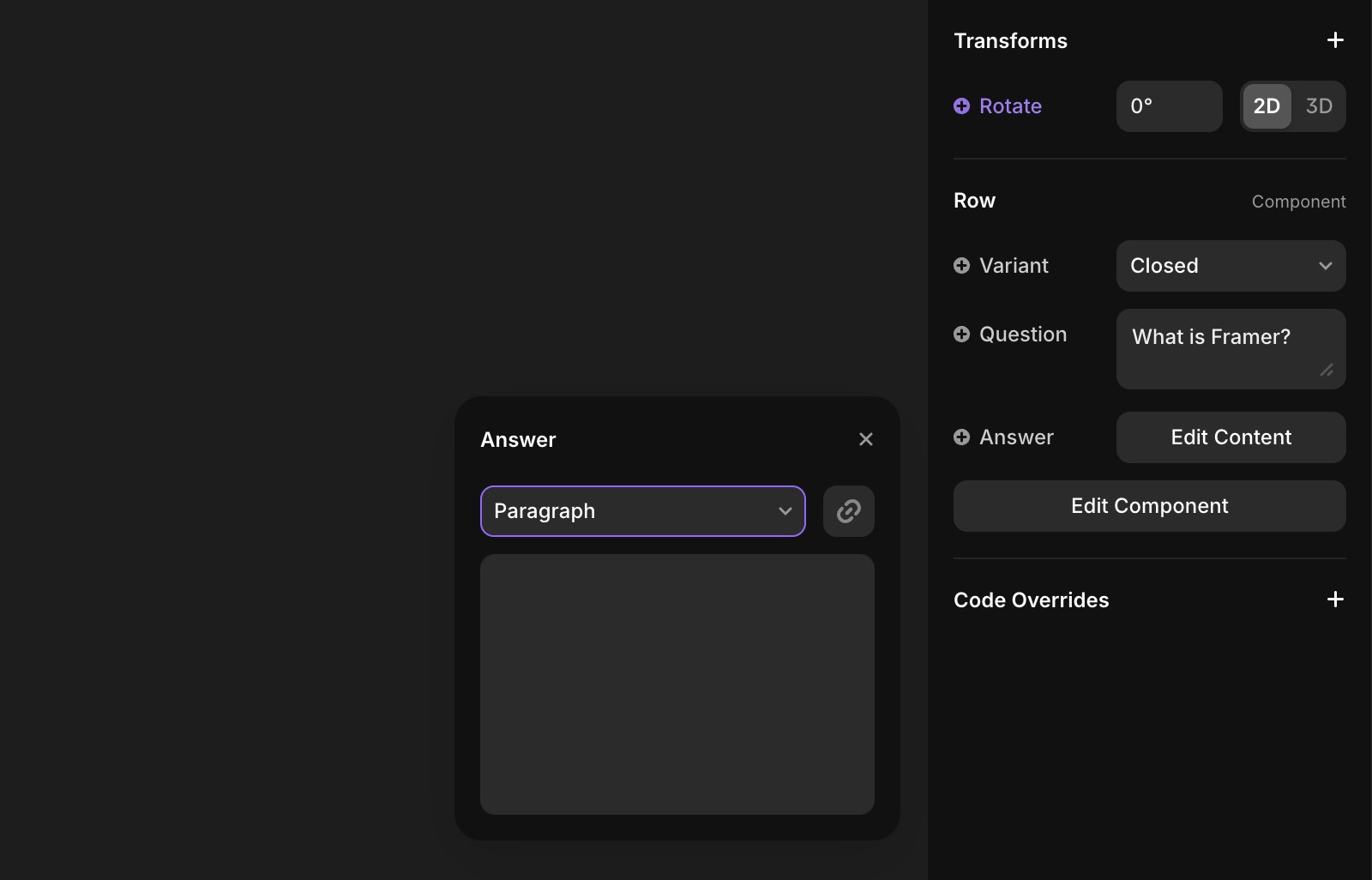
Edit your content
Now, return to the Accordion component. On the right panel, you can edit the content and add as many links as needed within the answer field.
If you're still experiencing issues, please reach out to us through our contact page for further help.
FAQ
How can I add links inside the answer field of the accordion component in Framer?
To add links inside the answer field of the accordion component, first remove the existing Answer field by clicking Variables, right-clicking the Answer field, and selecting Remove. Then, add a Formatted Text field in its place and name it Answer. After that, select the Answer layer, click the + icon next to Content, choose Set Variable, and select Answer. You can now edit the content in the right panel and add as many links as needed within the answer field.
What steps are needed to update the accordion component to support formatted text?
To update the accordion component to support formatted text, remove the existing Answer field by going to Variables, right-clicking Answer, and selecting Remove. Next, add a Formatted Text field in its place and name it Answer. Then, select the Answer layer, click the + icon next to Content, choose Set Variable, and select Answer.
Where can I edit the content of the answer field after updating the accordion component?
After updating the accordion component, you can edit the content of the answer field in the right panel. This allows you to add as many links as needed within the answer field.
Updated