How to add a content security policy
In this guide, we explain how to add a Content Security Policy (CSP) to your Framer site to enhance security.
A Content Security Policy (CSP) helps prevent Cross-Site Scripting (XSS) attacks by controlling which resources are allowed to load on your site. Framer sites are secure by default. So, adding a CSP might only act as an additional layer of protection in case you add untrusted 3rd-party code (like tracking scripts added by Tag Managers) via custom HTML or custom code components.
Adding a CSP via Custom Headers (recommended)
If your plan includes Advanced Hosting, the recommended way to add a CSP is via Custom Headers, which sets the Content-Security-Policy HTTP header directly. Navigate to Site Settings → Hosting → Headers, add a Content-Security-Policy header, and re-publish.
HTTP headers are preferred over <meta> tags because they apply to all responses (including non-HTML resources) and avoid the Chrome performance hit described below.
Adding a CSP via meta tag
Add the CSP meta tag at the start of the head tag using custom code.
Ensure all additional scripts are inserted after the meta tag, as the policy will apply to everything following the tag.
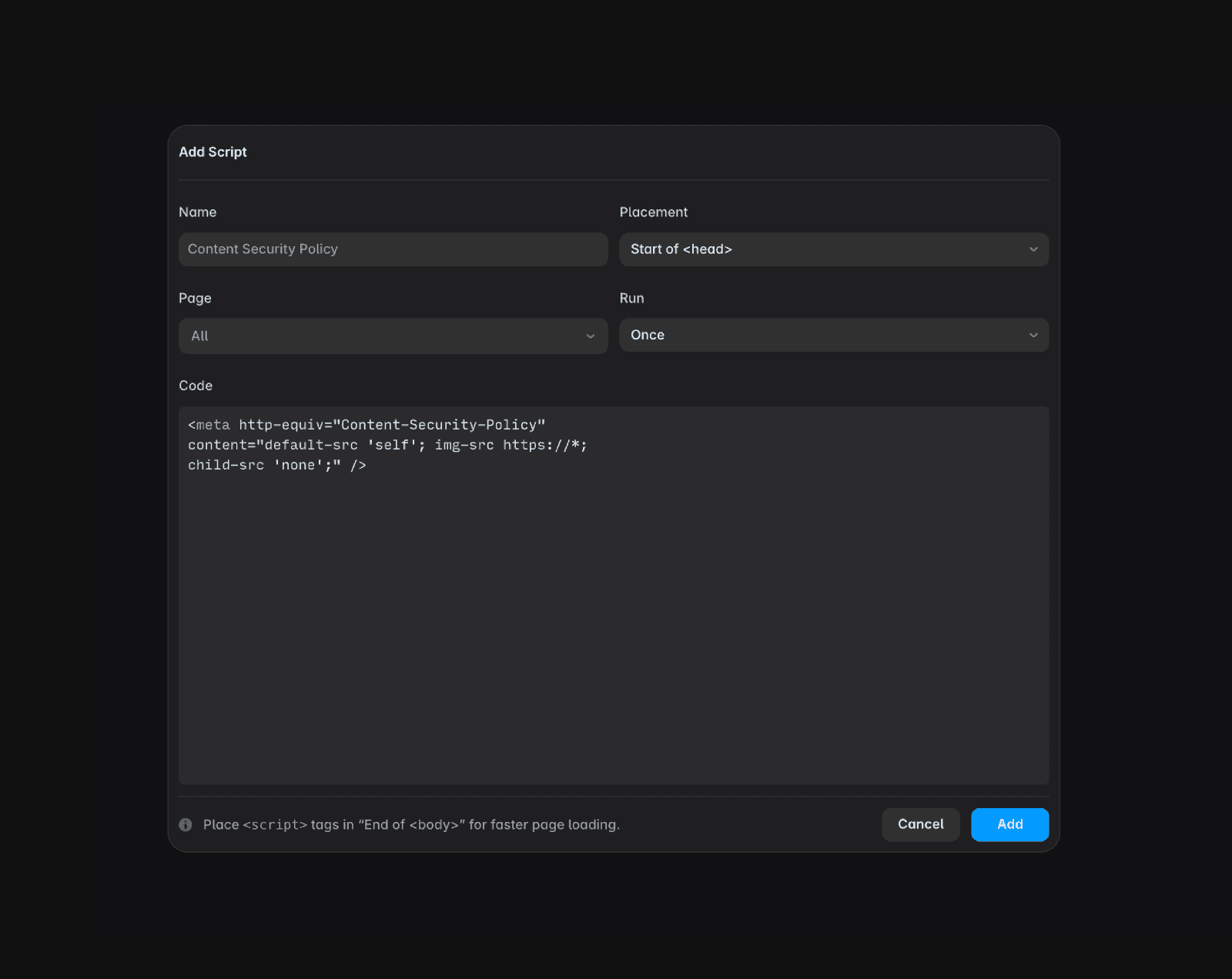
Do not use the example in the screenshot, as it may break your site.
Tip: You can use a tool like Report URI to generate a CSP tailored to your site’s needs.
CSP meta tag vs CSP header
A CSP meta tag, compared to the HTTP header, can seriously degrade your website’s performance in Chrome based browsers (source).
Meta tag: Adding the CSP via a meta tag works similarly to using HTTP headers but may result in slightly worse site performance.
HTTP headers: For better performance, configure the CSP via HTTP headers using Custom Headers (recommended). A reverse proxy setup is also an option for sites without Advanced Hosting.
If you encounter any issues or need further assistance, feel free to contact Framer’s support team through our contact page.
FAQ
How do I add a Content Security Policy (CSP) to my Framer site?
To add a Content Security Policy (CSP) to your Framer site, insert the CSP meta tag at the start of the head tag using custom code. Make sure all additional scripts are inserted after the meta tag, as the policy will apply to everything following the tag.
Should I use a CSP meta tag or an HTTP header for better performance?
For better performance, configure the CSP via HTTP headers — the recommended way is to use Custom Headers (Advanced Hosting), or alternatively set up a reverse proxy. Adding the CSP via a meta tag works similarly but may result in slightly worse site performance, especially in Chrome-based browsers.
Are there any tools or tips for generating a CSP for my Framer site?
You can use a tool like Report URI to generate a CSP tailored to your site's needs. Additionally, avoid using example CSPs from screenshots, as they may break your site.
Updated
