

Joseph
7:13
Connect Framer to External Agents
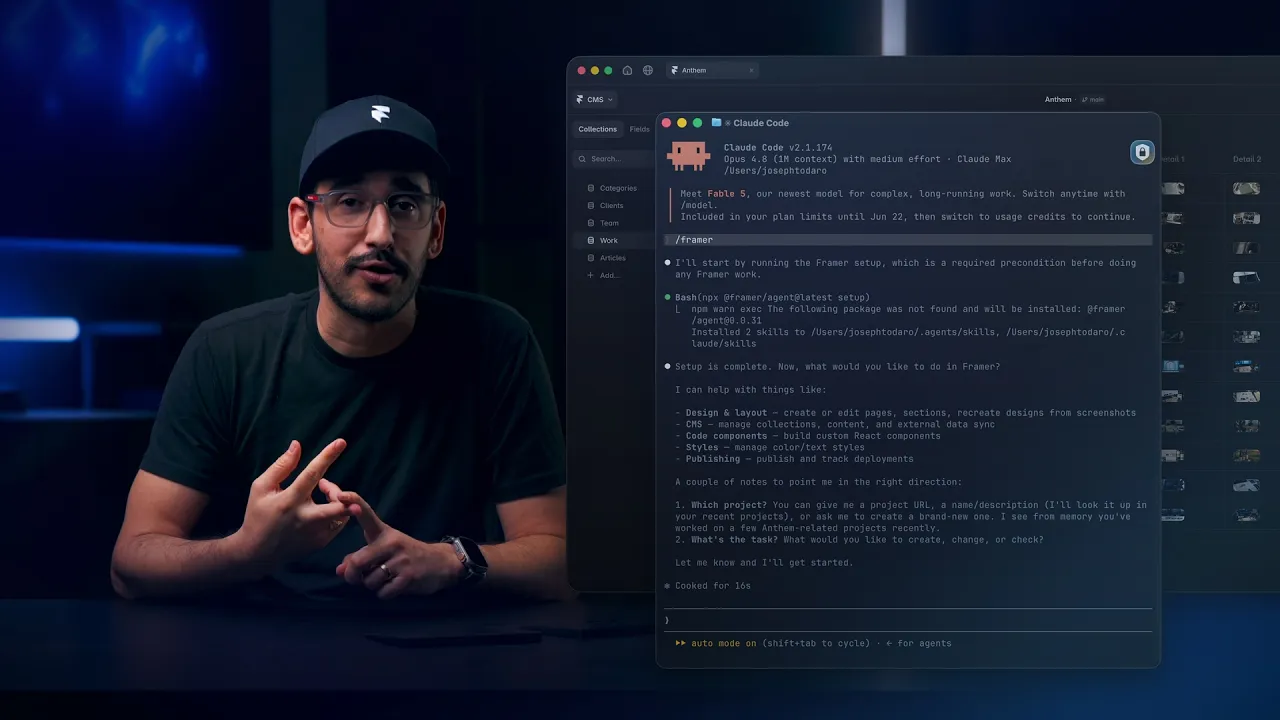
External Agents connect a terminal-based AI agent to a Framer project through the local Framer CLI setup. Use them to work with local files, scripts, APIs, and structured data while keeping changes visible and editable in Framer.
Lesson details
Framer MCP is recommended for new connections.
This lesson covers External Agents through Framer’s local CLI setup. Install the Framer Agent CLI, provide the project link, and approve access in your browser. The agent then works from your terminal while changes remain visible in Framer.
The example imports local CSV files, Markdown articles, and image folders into Framer CMS collections. It creates fields, references, uploaded assets, list pages, and detail pages from the supplied files.
Use a branch for large imports or production-sensitive updates. Review the work in Framer before publishing. External Agents can also run local scripts and connect to APIs available in your environment.
Frequently asked questions
Does the local CLI setup still work?
Yes. Framer continues to support External Agents through the local Framer Agent CLI. Framer MCP is recommended for most new connections, while the CLI setup currently supports localization workflows that Framer MCP does not yet support.
What are External Agents in Framer?
External Agents are terminal-based AI tools connected to a Framer project through the local Framer CLI. After you approve access, the agent can inspect the project and prepare changes while the result remains visible and editable in Framer.
What does an External Agent need?
The tool must be able to run local commands, use installed skills, and open the browser authorization flow. Claude Code, Codex, and Cursor can use this setup. Give the agent the Framer project link you want it to inspect or update.
When should I use the local CLI setup?
Use it for localization or work that depends on local files, scripts, APIs, or structured data. Common tasks include large CMS imports, data synchronization, and repeatable workflows that connect a Framer project with other systems.
Can External Agents work with APIs and data?
Yes. External Agents can read local CSV, Markdown, and image files, connect to approved APIs, and turn the source material into CMS collections, references, uploaded assets, and pages. Define a stable identifier for each record and review the mapping before a large import.
How do I review External Agent changes?
Ask the agent to use a branch for broad or production-sensitive work. Review the result in Framer, check imported records and unrelated fields, then publish as a separate action when the work is ready.
Continue watching
Load more