What you’ll need
Before getting started, make sure you have everything in place to connect Framer and Clay. You’ll only need two things:
A Framer project with a form component.
A Clay account with a table where you want to collect data.
Create a webhook in Clay
First, you’ll create a webhook in Clay to receive your form submissions. A webhook acts like a unique URL where data from Framer will be sent.
Open Clay and go to the table where you want to collect data.
Click Import Data → From Webhook.
Clay will generate a unique webhook URL. This is where Framer will send your form submissions.
Copy the URL to your clipboard.

Connect your Framer form
Next, you’ll connect your Framer form to the webhook you just created. This allows each form submission to automatically send data into your Clay table.
In your Framer project, select the form component.
In the right-hand panel, find the Send To section.
Choose Webhook as the destination.
Paste the Clay webhook URL you copied earlier.
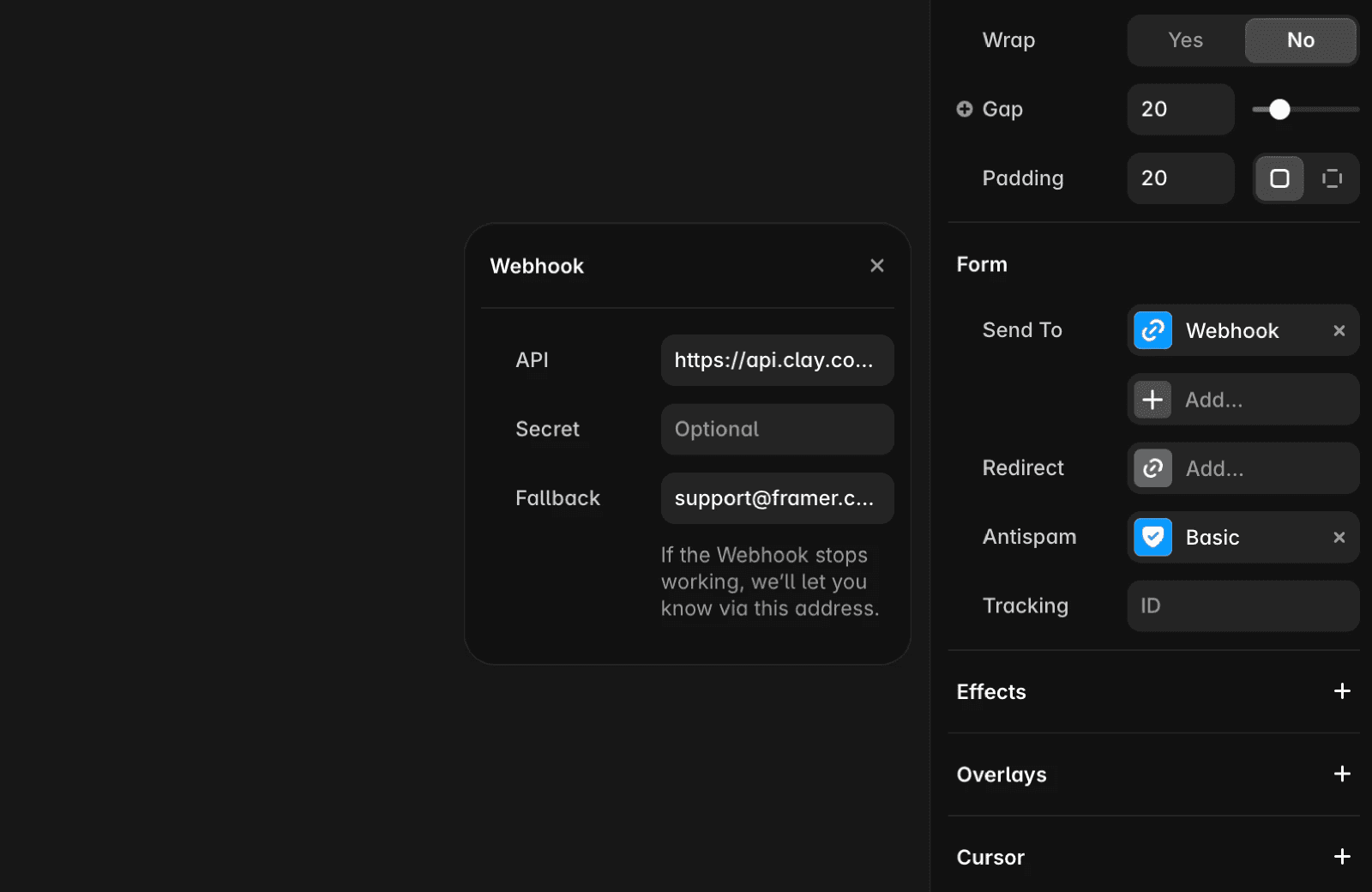
Once published, any submission through that form will automatically be sent to your Clay table.
View submissions in Clay
After connecting the webhook, you can test it to make sure everything’s working. Submitting your form will instantly send the data to Clay.
Go back to your Clay table and submit the form once.
After a few seconds, a new row should appear with your test data.
Each new submission adds another row automatically.
Once your data arrives in Clay, you can start using its tools to enrich, clean, and automate your workflows.
FAQ
What do I need to connect a Framer form to Clay?
Before getting started, make sure you have a Framer project with a form component and a Clay account with a table where you want to collect data.
How do I set up my Framer form to send submissions to Clay?
In your Framer project, select the form component. In the right-hand panel, find the Send To section. Choose Webhook as the destination and paste the Clay webhook URL you copied earlier. Once published, any submission through that form will automatically be sent to your Clay table.
How can I verify that my Framer form submissions are reaching Clay?
After connecting the webhook, go back to your Clay table and submit the form once. After a few seconds, a new row should appear with your test data. Each new submission adds another row automatically.
