Framer includes built-in form components for creating contact forms and collecting submissions. You can also connect external services or embed third-party forms directly on your site.
Use Framer’s native forms
Framer’s native forms provide a flexible way to collect information from visitors without relying on external tools.
With native forms, you can:
Customize forms with multiple input types
Design different form states and interactions
Send submissions to email, Google Sheets, or custom webhooks
Benefit from built-in spam protection and rate limiting
To add a native form:
Open the Insert menu.
Navigate to Forms.
Drag a form component onto your page.
Customize the fields, styling, and submission settings.
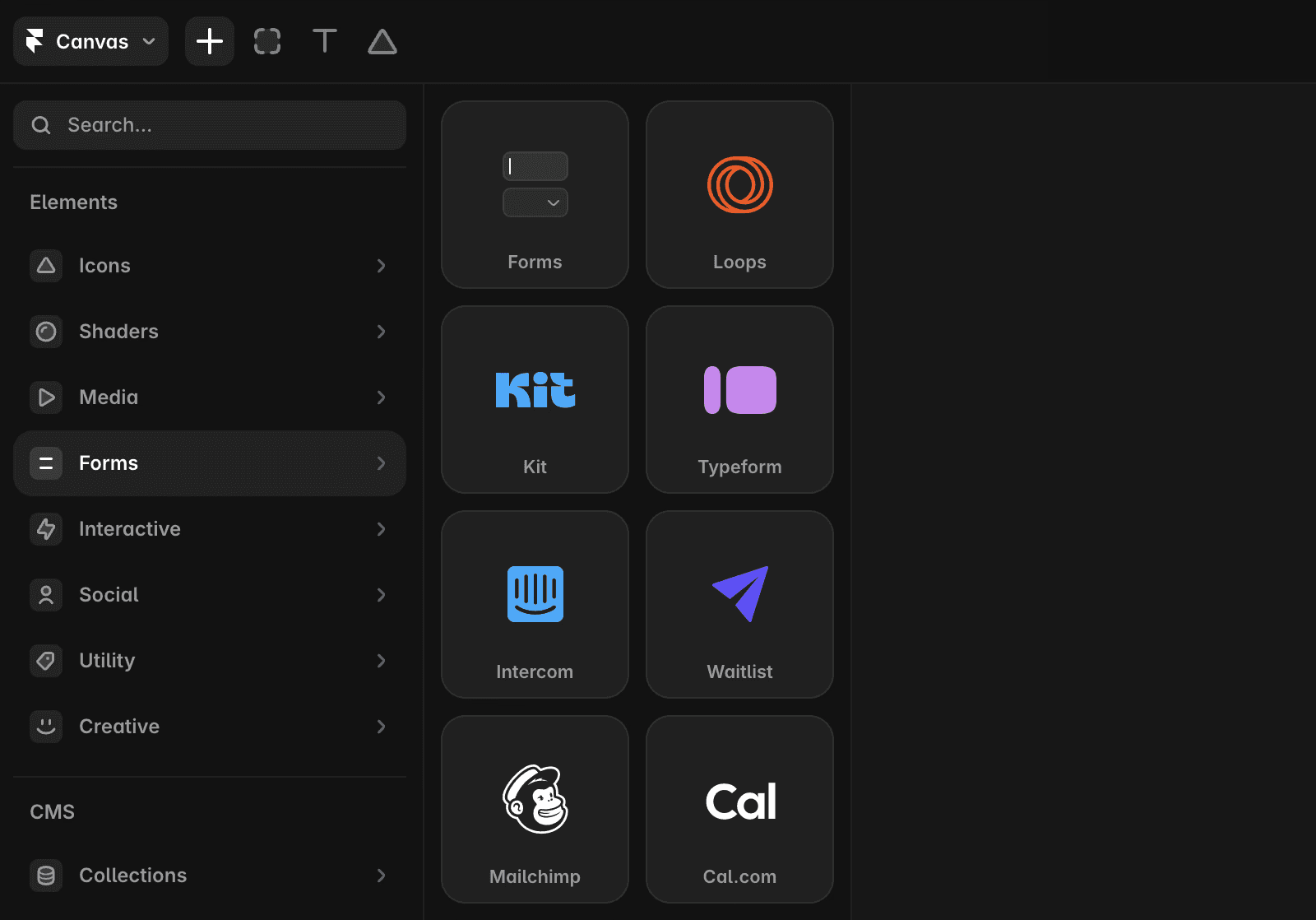
Use built-in form integrations
Framer includes integrations for common form and lead-generation workflows. Available integrations include Formspark, Hubspot or Typeform.
These integrations can be added and configured directly within your project.
Collect email signups
For email capture and newsletter signups, you can use the Input component.
The Input component supports:
Embed third-party forms
If your preferred form provider is not available as a built-in integration, you can embed it directly into your site.
To embed a third-party form:
Copy the embed code or HTML script provided by the form service.
Add an Embed component to your page.
Paste the code into the Embed component.
This approach works with services such as Beehiiv, Tally, and other providers that offer embed code.
FAQ
How do I add a native form to my Framer website?
To add a native form, go to the Insert Menu → Forms. Drag and drop the form onto your page to start designing and connecting it.
What integrations and services can I use with Framer forms?
Framer offers built-in form integrations for services like Formspark, Calendly, HubSpot, Intercom, and Typeform. You can also use the Input Component to capture email signups with services such as Loops.so, Mailchimp, Formspark, and GetWaitlist.
Can I embed third-party forms like Beehiiv or Tally in Framer?
Yes, to embed third-party forms like Beehiiv or Tally, copy the HTML script provided by the service and paste it into Framer’s Embed component. Alternatively, you can use Code Components to build fully custom forms tailored to your needs.
