Using plugins

Learn how to discover, open, and use plugins to extend your workflow in Framer.

Plugins are third-party tools that extend Framer with additional functionality. They can help you automate tasks, streamline workflows, generate content, and connect Framer with external services without leaving your project.

What are plugins?

Plugins are apps built by developers and creators for use within Framer. Each plugin is designed to solve a specific problem or improve a particular workflow, from content generation and asset management to integrations and automation.

Plugins run directly inside Framer, making it easy to access additional tools while working on your project.

Where to find plugins

You can discover plugins in several places:

  • Framer Community: Browse available plugins, learn more about their features, and discover tools created by the community.

  • Inside Framer: Open the Plugins menu to browse featured plugins, recent plugins, or search for a specific tool.

Open a plugin from Framer Community

To open a plugin from Framer Community:

  1. Open the plugin’s detail page.

  2. Click Open Plugin.

  3. Select the project where you want to use the plugin.

  4. The plugin will open inside your project.
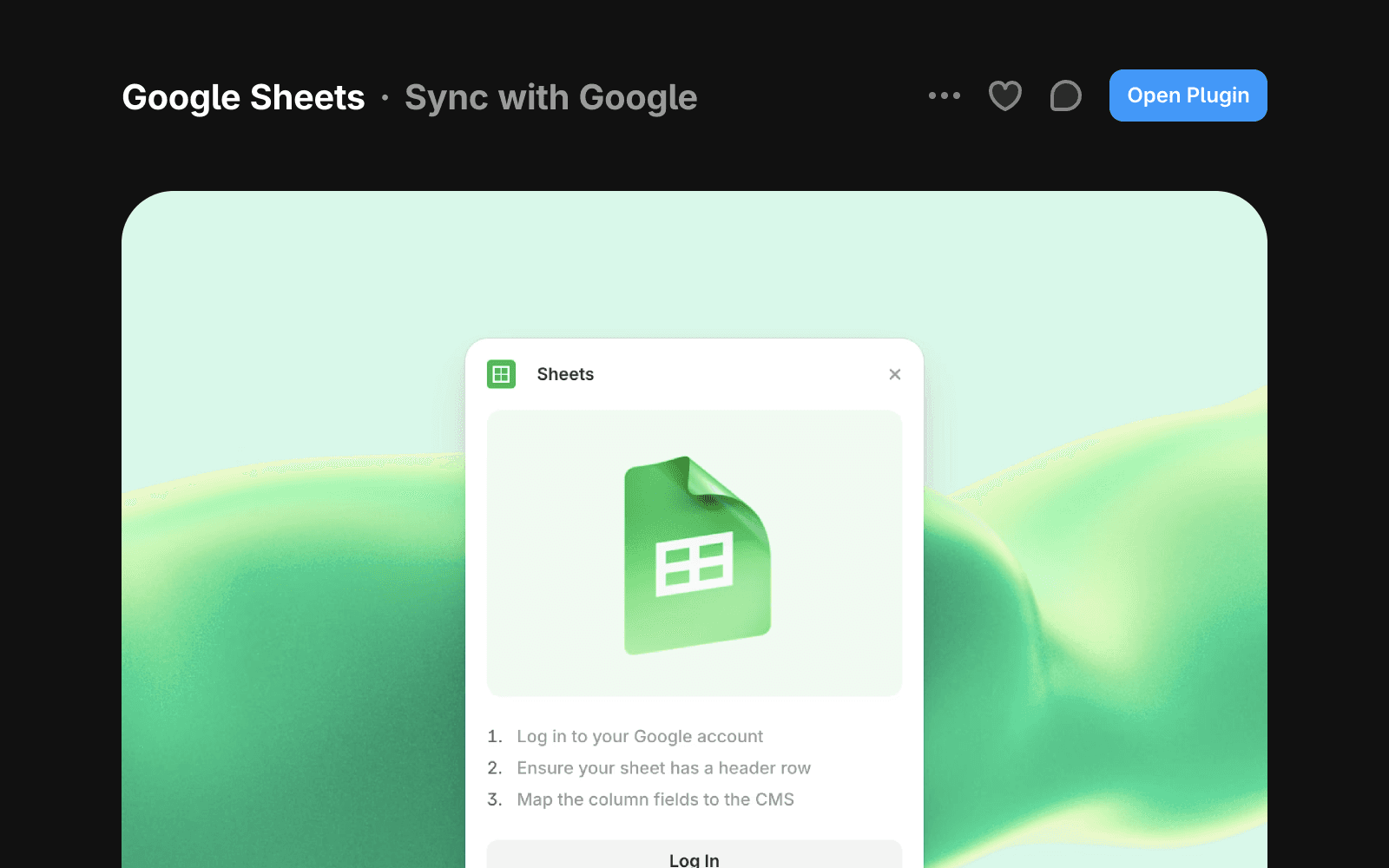
Google Sheets plugin detail page with an Open Plugin button and setup steps.

Open a plugin from inside Framer

Plugins do not require installation and can be opened instantly.

To open a plugin from within Framer:

  1. Open your project.

  2. Open the Quick Actions menu by pressing ⌘ K or Ctrl K.

  3. Browse available plugins or use search to find one.

  4. Press Enter or click the plugin to open it.
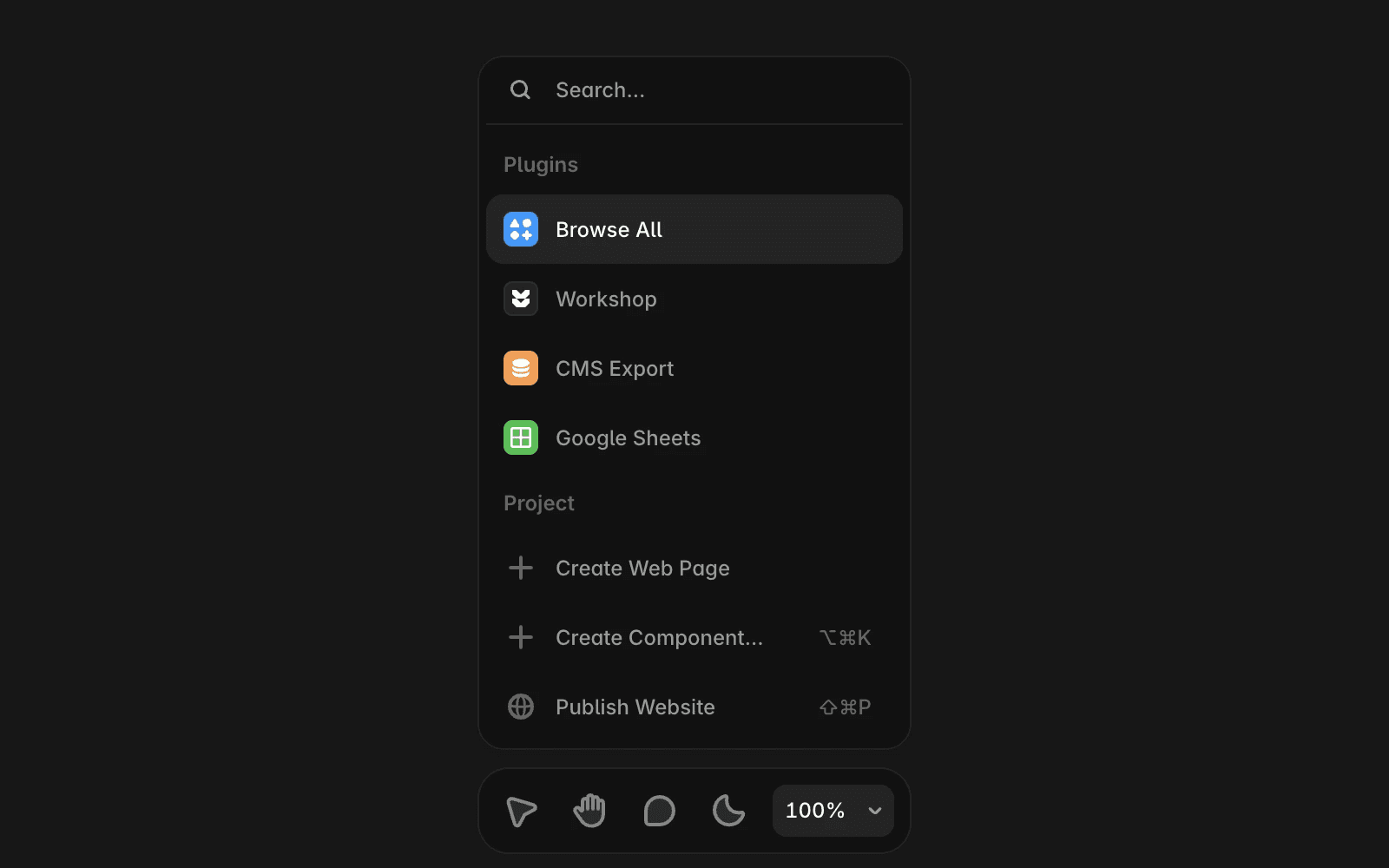
Framer Quick Actions menu showing plugin options including Browse All and Google Sheets.

Create your own plugin

If you want to build custom functionality, visit the Developer documentation for guides on creating, testing, and publishing plugins.

Whether you’re building internal tools or sharing plugins with the community, the documentation covers the complete development workflow.

If you have questions about plugins or experience issues while using them, contact the Framer Creators team at creators@framer.com.

Plugins are third-party tools that extend Framer with additional functionality. They can help you automate tasks, streamline workflows, generate content, and connect Framer with external services without leaving your project.

What are plugins?

Plugins are apps built by developers and creators for use within Framer. Each plugin is designed to solve a specific problem or improve a particular workflow, from content generation and asset management to integrations and automation.

Plugins run directly inside Framer, making it easy to access additional tools while working on your project.

Where to find plugins

You can discover plugins in several places:

  • Framer Community: Browse available plugins, learn more about their features, and discover tools created by the community.

  • Inside Framer: Open the Plugins menu to browse featured plugins, recent plugins, or search for a specific tool.

Open a plugin from Framer Community

To open a plugin from Framer Community:

  1. Open the plugin’s detail page.

  2. Click Open Plugin.

  3. Select the project where you want to use the plugin.

  4. The plugin will open inside your project.

Google Sheets plugin detail page with an Open Plugin button and setup steps.

Open a plugin from inside Framer

Plugins do not require installation and can be opened instantly.

To open a plugin from within Framer:

  1. Open your project.

  2. Open the Quick Actions menu by pressing ⌘ K or Ctrl K.

  3. Browse available plugins or use search to find one.

  4. Press Enter or click the plugin to open it.

Framer Quick Actions menu showing plugin options including Browse All and Google Sheets.

Create your own plugin

If you want to build custom functionality, visit the Developer documentation for guides on creating, testing, and publishing plugins.

Whether you’re building internal tools or sharing plugins with the community, the documentation covers the complete development workflow.

If you have questions about plugins or experience issues while using them, contact the Framer Creators team at creators@framer.com.

FAQ

  • Do I need to install plugins before using them?

    No. Plugins can be opened and used immediately from within Framer or from their plugin page in Framer Community.

  • Can I use plugins in any project?

    Yes. When opening a plugin, you can choose which project you want to use it in.

  • Can I create and publish my own plugins?

    Yes. Framer provides developer documentation and publishing tools for creators who want to build and share plugins with the community.

Updated