Enhancing your website's performance is crucial, especially when it comes to hosting larger files like videos. By offloading these files to a third-party platform, you can significantly reduce the load on your site, resulting in faster loading times and a better user experience. This article will guide you through the tools available for hosting videos externally and how to integrate them with Framer’s Video component.
Why host videos externally?
Hosting large files, such as videos, directly within Framer can slow down your site, negatively impacting performance and user experience. By using an external host, these files can be served more efficiently, enhancing load times and overall performance. For more detailed information about the benefits of this approach, refer to our related article here.
Recommended tools for hosting videos externally
Several platforms are well-suited for hosting videos externally and integrate seamlessly with Framer's "Video" component through a URL. Some of the recommended options by our Community are:
Wistia: A popular video hosting platform offering advanced analytics, customizable players, and a focus on business-oriented videos.
Gumlet: Known for its image and video optimization capabilities, Gumlet ensures fast and efficient video delivery.
Vidyard: A business-focused platform providing powerful video hosting features, including detailed analytics and integration with marketing tools.
Google Drive and Dropbox: While not traditional video hosting services, both offer easy sharing options and can host videos, which can be linked to Framer via a direct URL.
How to use the Video component with an external hosted video
To use the Video component in Framer with an external host, follow these simple steps:
Start by dragging and dropping the Video component onto your page in Framer.
Customize the Video component by adjusting its size, style, and other settings to match your design.
Copy the URL of your hosted video from your chosen platform, such as Wistia, Gumlet, or Vidyard, and paste it into the "URL" field in the video component settings.
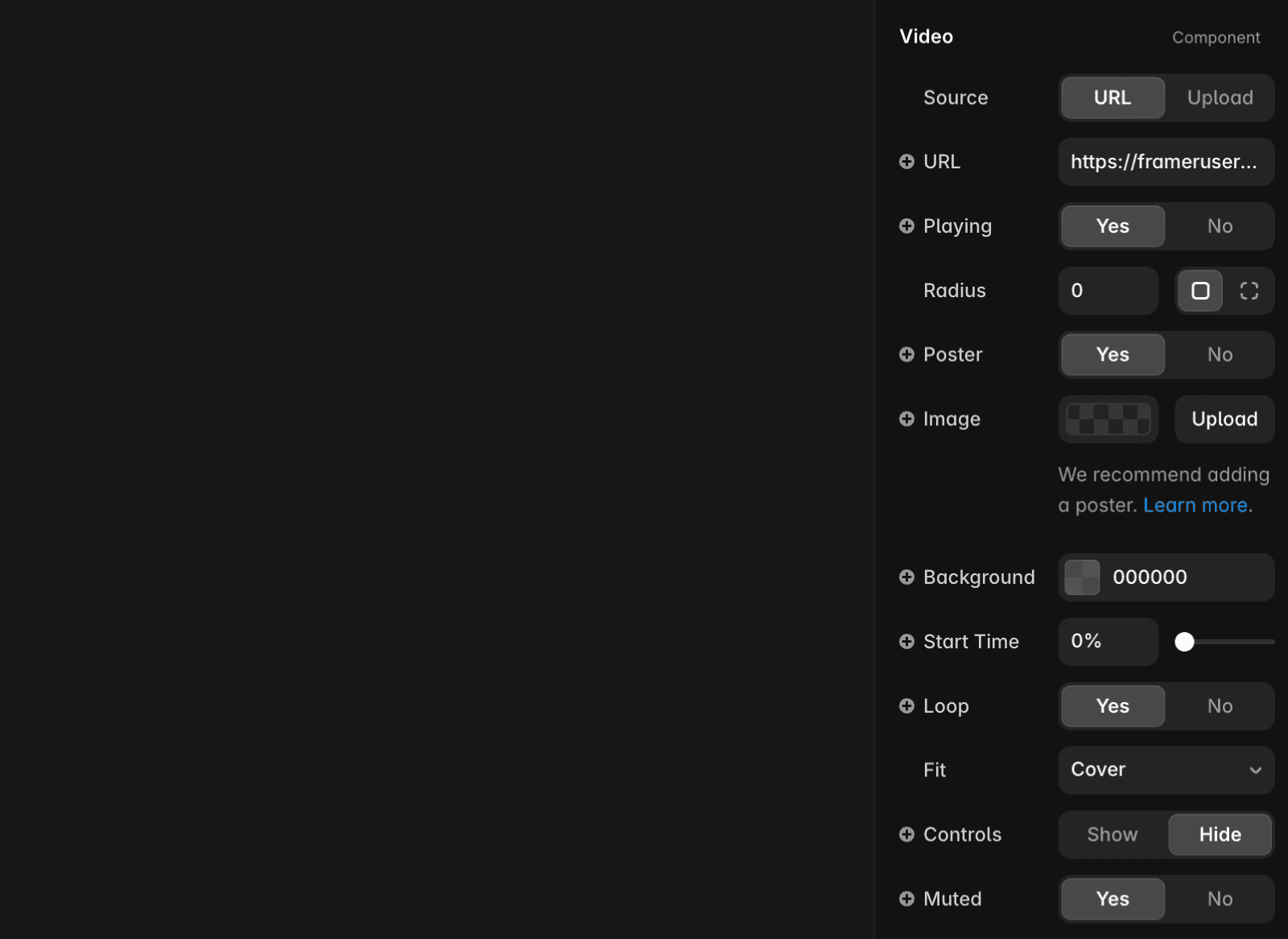
By following these steps, you can easily integrate externally hosted videos into your Framer site, ensuring optimal performance and a smooth viewing experience for your users.
Didn't solve the issue? Get in touch with us via our contact page for more help.
FAQ
Why should I host videos externally instead of uploading them directly to Framer?
Hosting large files, such as videos, directly within Framer can slow down your site, negatively impacting performance and user experience. By using an external host, these files can be served more efficiently, enhancing load times and overall performance.
What are some recommended platforms for hosting videos externally to use with Framer?
Several platforms are well-suited for hosting videos externally and integrate seamlessly with Framer's Video component through a URL. Recommended options include Wistia, Gumlet, Vidyard, and even Google Drive or Dropbox for easy sharing.
How do I add an externally hosted video to my Framer site using the Video component?
Start by dragging and dropping the Video component onto your page in Framer. Customize the Video component by adjusting its size, style, and other settings. Then, copy the URL of your hosted video from your chosen platform and paste it into the 'URL' field in the video component settings.
