What is a Redirect?
Redirects permanently route traffic from one URL to another. Common use cases include:
Reorganizing the URL structure.
Replacing pages with new designs or layouts.
Securing alternative paths for potential typos.
These settings used to live in the Domains dashboard and are now in your project’s Site Settings, under Hosting.
When a redirect is created, visitors to the old URL are automatically redirected to the new URL. This is especially valuable for maintaining search engine ranking while updating page URLs.
Create a Redirect
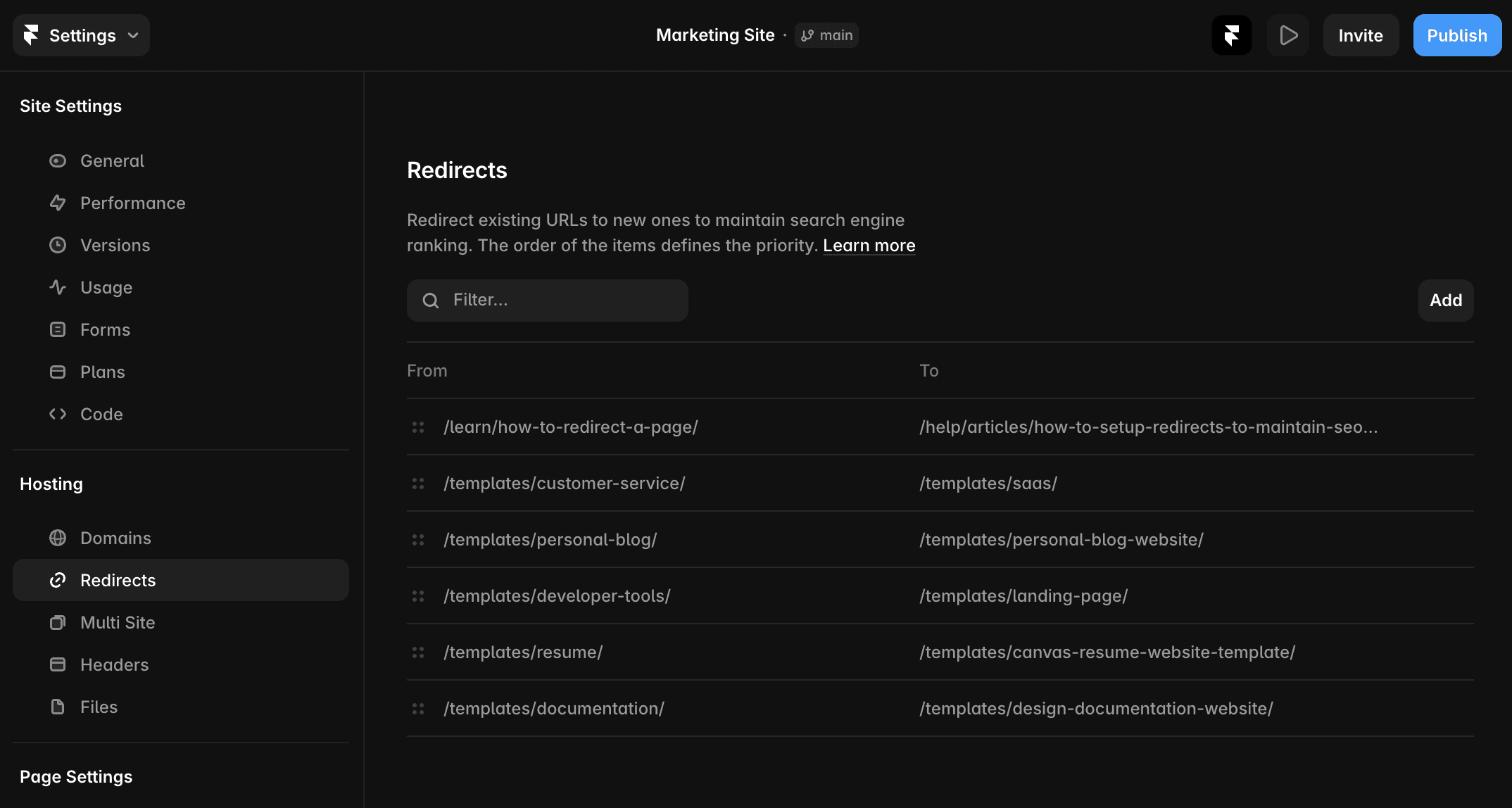
Navigate to Site Settings → Hosting → Redirects.
Enter the old URL and designate the new URL.
Reorder rules by dragging and dropping to set priority.
Edit or delete redirects using the … menu.
Publish or update your site to apply changes.
For more guidance, watch the redirects video in the academy.
Note: If you change a sub-path from the canvas or CMS, it won’t automatically update in your redirect settings. Update the old URL manually or create a new redirect to account for the changes.
Redirect an Entire Folder
Redirect entire folders with wildcards to match multiple URLs. Framer supports the following wildcards:
Wildcard matching
Use * to match any path segment.
Example: /blog/* matches /blog/hello-world and /blog/2022/07/18/hello-world.
Example: /blog/*/post/* matches /blog/2022/post/hello-world and /blog/2022/learning-framer/posts/07/18/hello-world.
Capture groups
Use :1, :2, etc., in the new URL to reference matched groups in the old URL.
Example:
Old URL: /blog/*/post/*
New URL: /article/:1/entry/:2.
Redirects /blog/my-blog/post/getting-started to /article/my-blog/entry/getting-started
Slug matching
Use :slug to match specific segments between slashes.
Example: /blog/:year/:month/:day matches /blog/2022/07/18, but not /blog/hello-world or /blog/2022/07/18/category/hello-world.
Example:
Old URL: /blog/:year/:month/:day
New URL: /article/:year-:month-:day
Redirects /blog/2022/07/18 to /article/2022-07-18.
Limitations
You can only redirect sub-paths within your current domain.
To redirect an entire domain (e.g., www.abc.com → www.xyz.com), use your hosting provider for the old domain to set up domain-level redirects. Once complete, connect the new domain in Framer and handle sub-path redirects as needed.
Still experiencing the issue after following the steps above? Get in touch with us via our contact page for more help.
FAQ
How do I set up a redirect in Framer to route traffic from an old URL to a new one?
Navigate to Site Settings → Redirects. Enter the old URL and designate the new URL. You can reorder rules by dragging and dropping to set priority, and edit or delete redirects using the … menu. Publish or update your site to apply changes.
Can I redirect an entire folder or multiple URLs at once in Framer?
Yes, you can redirect entire folders with wildcards to match multiple URLs. Use * to match any path segment. For example, /blog/* matches /blog/hello-world and /blog/2022/07/18/hello-world. You can also use capture groups like :1, :2 in the new URL to reference matched groups in the old URL.
Are there any limitations to setting up redirects in Framer?
You can only redirect sub-paths within your current domain. To redirect an entire domain (e.g., www.abc.com to www.xyz.com), use your hosting provider for the old domain to set up domain-level redirects. Once complete, connect the new domain in Framer and handle sub-path redirects as needed.
