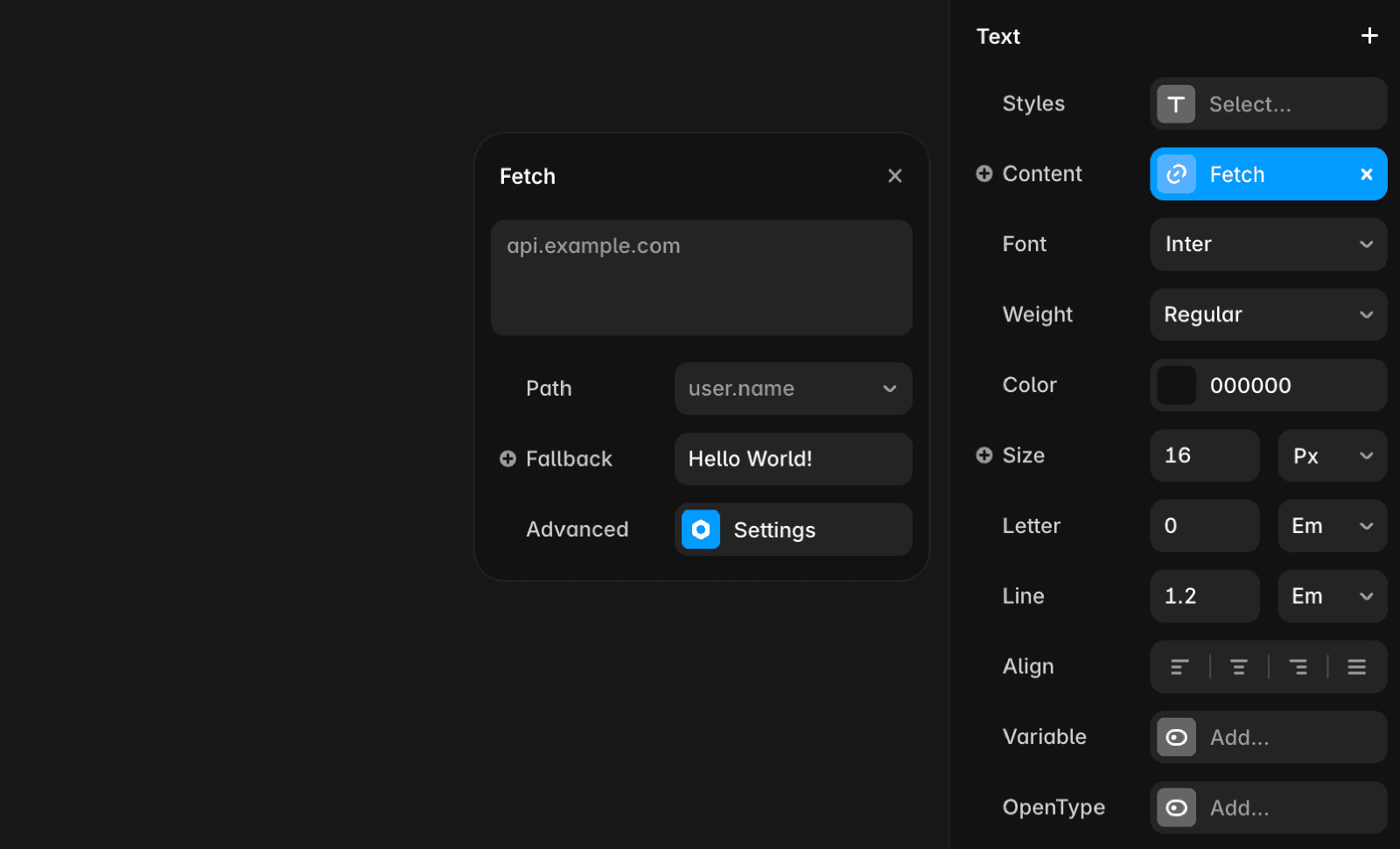
Fetch lets you dynamically load data into your Framer site without writing code. You’ll find the “Add Fetch” option under the “+” icon in the Content property of Text layers, Component Properties, and most layers inside Components. Within Components, you can also configure Loading and Error Variants to visually represent data-fetching states or errors.
When to use Fetch
Fetch is ideal for dynamic or personalized data rather than static content or frequently updated lists. If content can be manually entered or managed via a CMS, that’s a better option since Framer optimizes static content for SEO.
You might want to use Fetch for:
User-specific data (e.g., login status)
Location-based information
Live inventory counts
Real-time stock prices
Please note that Fetch doesn’t support lists or large data collections. For list-based data (e.g., blog posts, products, or collections), use Framer’s CMS Collections with the Sync API.
Caching and denormalization
Fetch responses can be cached for a specified duration. Cached responses are stored in the visitor’s browser and retrieved without new network requests until the cache expires. Caching is per URL and occurs at page load.
Caching reduces server load and improves performance by minimizing unnecessary network requests. It also optimizes data that changes frequently but doesn’t require real-time updates, ensuring a balance between freshness and efficiency.
For highly dynamic data, you can set a short cache duration. Once expired, Fetch reloads data immediately instead of waiting for the next page load.
Credentials
The Credentials option controls whether browser credentials (e.g., cookies) are sent with Fetch requests:
Same Origin (default): Sends credentials only for requests to the same domain.
Include: Sends credentials even for cross-domain requests, useful for authenticated endpoints requiring cookies (e.g., login state).
Keep in mind that using Fetch with “Include” credentials may not perform as expected in the Canvas since live site cookies aren’t accessible within Framer. Also, avoid including sensitive data because it will be bundled into your JavaScript, potentially exposing it.
Custom API endpoints
API endpoints used with Fetch must be publicly accessible. For security, set up a dedicated backend service to expose only the required data to your Framer site.
For more on secure backend setup, refer to the developer documentation.
FAQ
How do I use Fetch to load dynamic data in my Framer site?
Fetch lets you dynamically load data into your Framer site without writing code. You’ll find the “Add Fetch” option under the “+” icon in the Content property of Text layers, Component Properties, and most layers inside Components. Within Components, you can also configure Loading and Error Variants to visually represent data-fetching states or errors.
When should I use Fetch instead of Framer’s CMS Collections?
Fetch is ideal for dynamic or personalized data, such as user-specific data (e.g., login status), location-based information, live inventory counts, or real-time stock prices. If your content can be manually entered or managed via a CMS, that’s a better option since Framer optimizes static content for SEO. Fetch doesn’t support lists or large data collections; for list-based data like blog posts or products, use Framer’s CMS Collections with the Sync API.
How does caching work with Fetch, and what should I know about credentials?
Fetch responses can be cached for a specified duration, stored in the visitor’s browser, and retrieved without new network requests until the cache expires. Caching is per URL and occurs at page load, reducing server load and improving performance. For highly dynamic data, you can set a short cache duration. The Credentials option controls whether browser credentials (e.g., cookies) are sent with Fetch requests: 'Same Origin' (default) sends credentials only for requests to the same domain, while 'Include' sends credentials even for cross-domain requests. Note that using 'Include' may not work as expected in the Canvas, and you should avoid including sensitive data as it will be bundled into your JavaScript.
