How to troubleshoot effects not working
If the effects in your project are not functioning as expected, follow these steps to troubleshoot the issue.
Check scroll variant effects
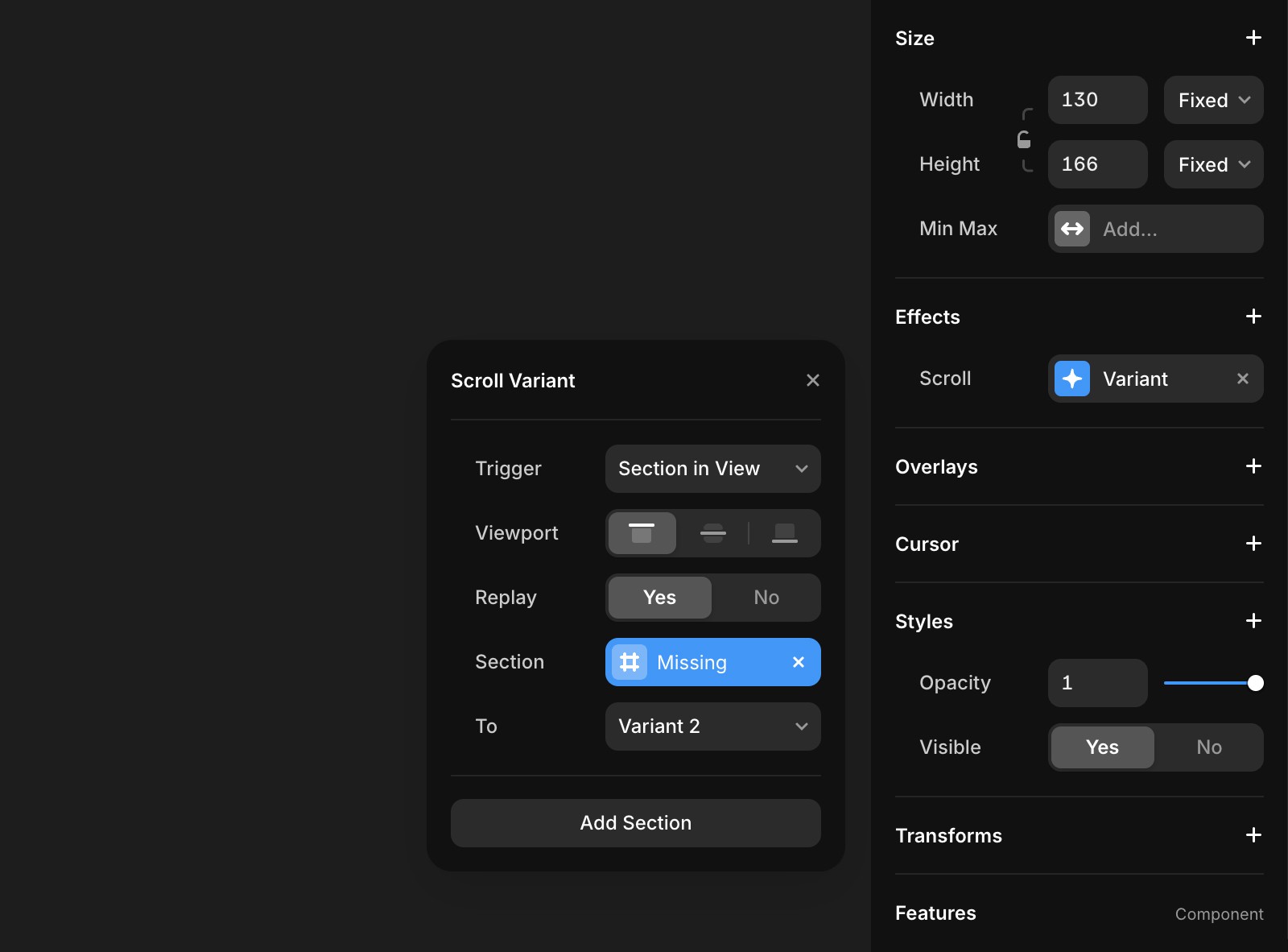
First, check if any Scroll Variant effects on your site are set to trigger with “Section in View.” Ensure that these effects have a section name assigned. If you find any without a section name, add one, publish your project, and verify if the issue is resolved.
Check accessibility and reduced motion settings
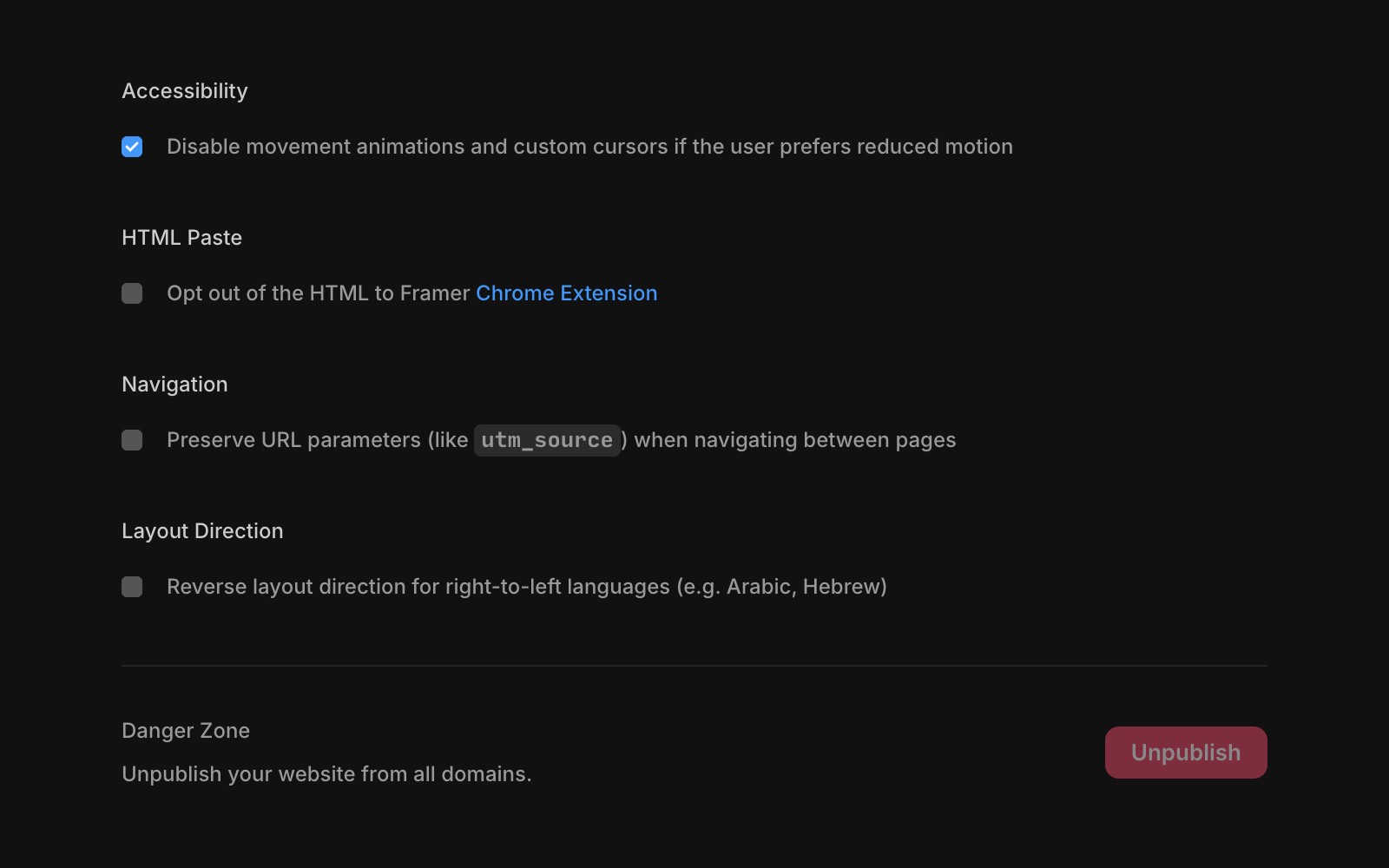
Effects will not function if the Accessibility option is enabled in your site settings and the user's device has reduced motion enabled. When the “prefer-reduced-motion” setting is enabled in the user's browser or device, only the opacity will be animated.
Check low power mode
When Low Power Mode is enabled on a user's device, certain animations may not work.
If you have followed these steps and the issue persists, feel free to reach out to us through our contact page for further help.
FAQ
Why aren’t the effects in my Framer project working as expected?
If the effects in your project are not functioning as expected, first check if any Scroll Variant effects are set to trigger with 'Section in View.' Ensure these effects have a section name assigned. If any are missing a section name, add one, publish your project, and verify if the issue is resolved.
See also: Reduced motion settings.
How do accessibility and reduced motion settings affect effects in Framer?
Effects will not function if the Accessibility option is enabled in your site settings and the user's device has reduced motion enabled. When the 'prefer-reduced-motion' setting is enabled in the user's browser or device, only the opacity will be animated.
Can Low Power Mode on a device impact Framer animations?
Yes, when Low Power Mode is enabled on a user's device, certain animations may not work.
