In Framer, you can disable interactions on a specific layer by adjusting the Pointer Events style. This setting controls whether a layer can respond to pointer-based actions like clicks, presses, or taps.
How to disable pointer events
Follow these steps to disable pointer events on a layer:
Select the layer you want to modify.
Open the Properties panel on the right.
Click the + icon under Styles to add a new property.
Search for and enable Pointer Events.
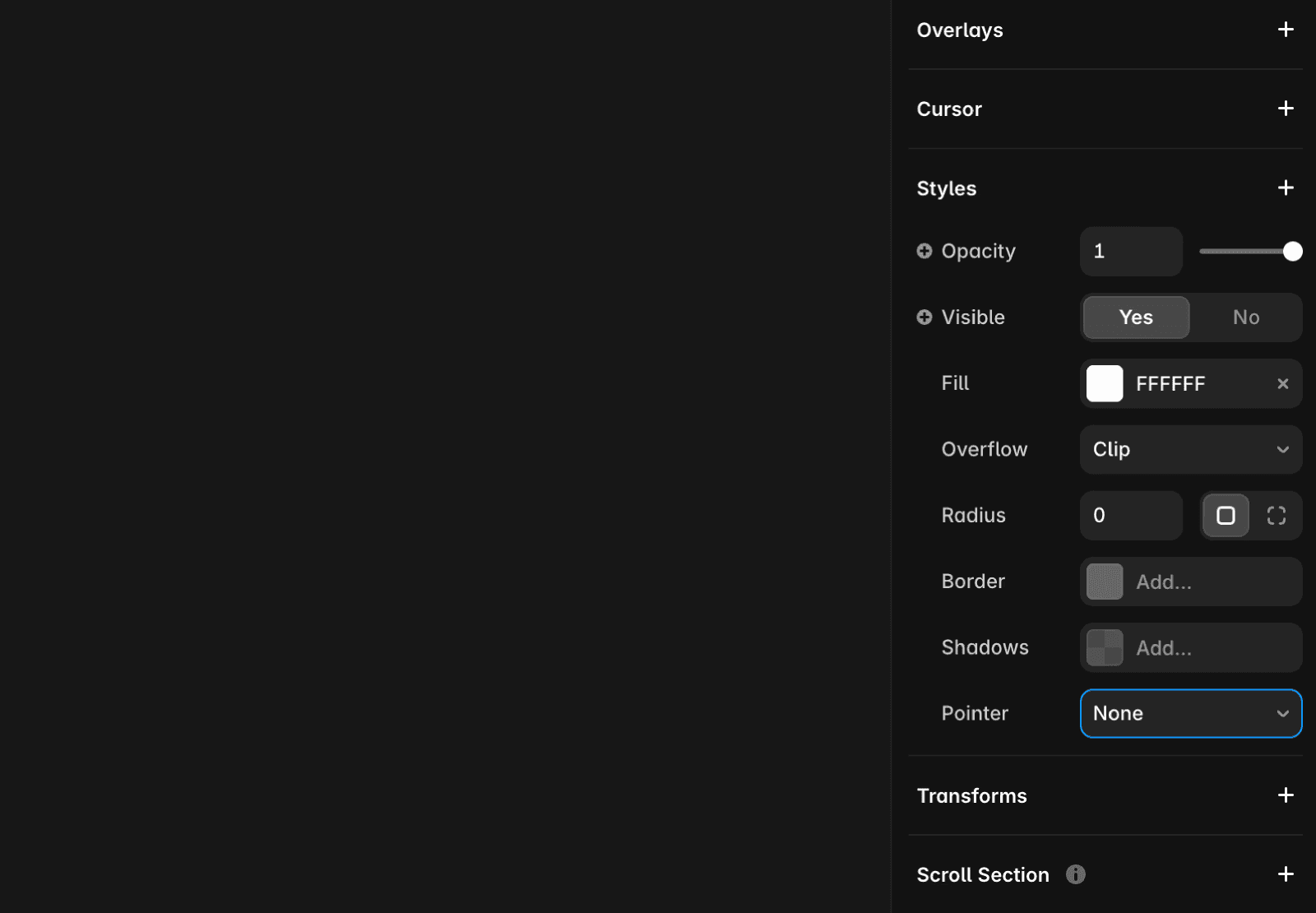
Pointer events options
Once added, you can choose between two options:
None: The layer will not respond to any pointer events. However, its child layers can still receive interactions if allowed.
Auto: The layer behaves normally and responds to pointer events as expected.
If you encounter any issues or need further assistance, feel free to contact Framer’s support team through our contact page.
FAQ
How do I disable pointer events on a specific layer in Framer?
To disable pointer events on a layer in Framer, select the layer you want to modify, open the Properties panel on the right, click the + icon under Styles to add a new property, and search for and enable Pointer Events.
What options are available for pointer events in Framer, and what do they do?
Once you add the Pointer Events property, you can choose between 'None' and 'Auto'. 'None' means the layer will not respond to any pointer events, but its child layers can still receive interactions if allowed. 'Auto' means the layer behaves normally and responds to pointer events as expected.
If I disable pointer events on a parent layer, will its child layers still be interactive?
Yes, if you set Pointer Events to 'None' on a parent layer, its child layers can still receive interactions if allowed.
