In Framer, you can prevent users from selecting a specific layer by adjusting its User Select property. Follow these steps to disable it.
Select your layer by clicking on it.
Open the Properties panel on the right.
Click the + icon under Styles to add new properties.
Enable “User Select” to add it to your layer.
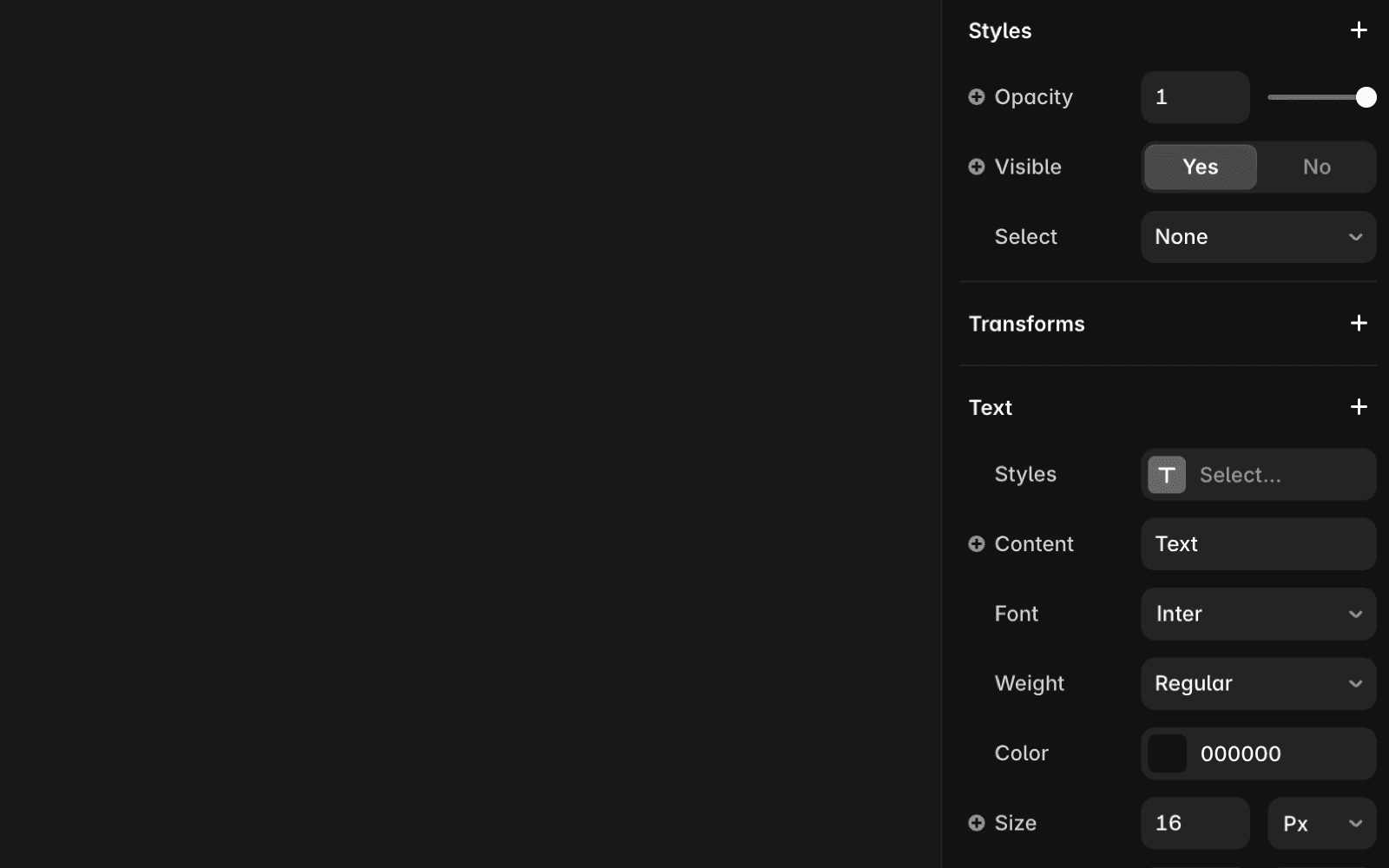
Once the User Select property is added, you can change its value anytime using the dropdown. The options are:
None: Prevents selection of this layer.
Auto: Allows selection based on the browser’s default behavior.
If you need help, contact Framer’s support team through our contact page.
FAQ
How do I disable user selection on a specific layer in Framer?
To disable user selection on a specific layer in Framer, select your layer by clicking on it, open the Properties panel on the right, click the + icon under Styles to add new properties, and enable 'User Select' to add it to your layer. Then, set the value to 'None' to prevent selection of this layer.
What does the 'User Select' property do in Framer?
The 'User Select' property in Framer controls whether users can select a specific layer. Setting it to 'None' prevents selection of the layer, while 'Auto' allows selection based on the browser’s default behavior.
Can I change the user select setting for a layer after adding it?
Yes, once the User Select property is added to your layer, you can change its value anytime using the dropdown in the Properties panel.
