Light and dark mode options
Learn how to switch between Framer’s light and dark themes for a personalized experience.
Framer lets you switch between light and dark themes for a comfortable, personalized experience that suits your preferences and lighting conditions. Choose dark mode to reduce eye strain in low light or light mode for improved readability. Framer previews your website’s color options based on your selected color styles, helping you design effectively in any theme. See Automatic Light and Dark Mode.
To switch themes, use the light/dark mode button in the Canvas menu or press ⌃⌘N.

Removing dark mode color styles
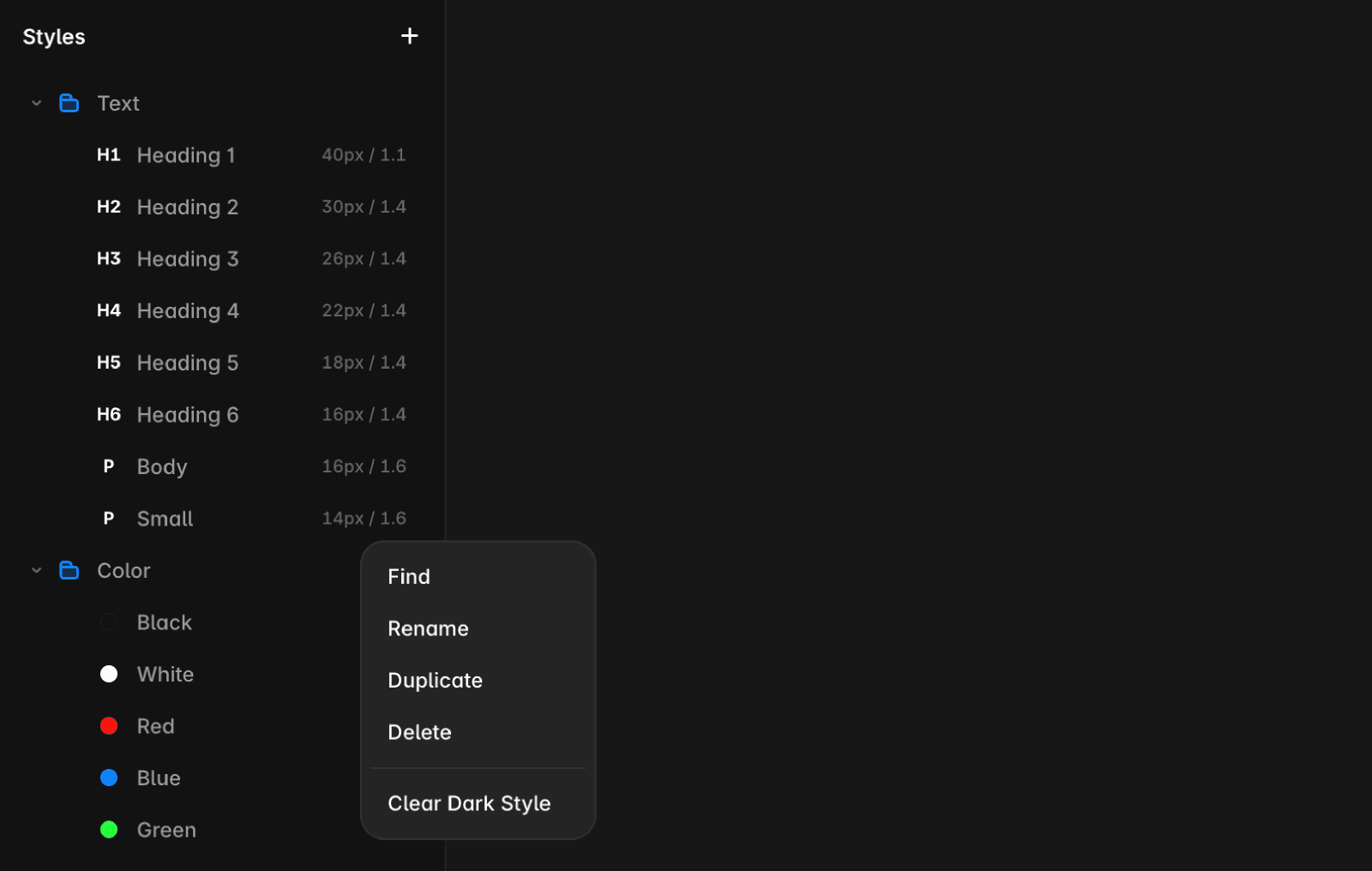
To remove a dark mode color style:
Open the Assets panel.
Click the three dots next to the color style.
Select “Remove Dark Style”.
FAQ
How do I switch between light and dark mode in Framer?
To switch themes, use the light/dark mode button in the Canvas menu or press ⌃⌘N.
What are the benefits of using light or dark mode in Framer?
Framer lets you switch between light and dark themes for a comfortable, personalized experience that suits your preferences and lighting conditions. Choose dark mode to reduce eye strain in low light or light mode for improved readability.
How can I remove a dark mode color style in Framer?
To remove a dark mode color style: 1. Open the Assets panel. 2. Click the three dots next to the color style. 3. Select 'Remove Dark Style'.
Updated
