If you no longer need a project, you can permanently delete it from your workspace. Projects must first be moved to the Archive before they can be deleted.
Move a project to the archive
Before a project can be deleted, it must be archived.
To archive a project:
Open the Dashboard.
Locate the project you want to remove.
Move the project to the archive.
Archived projects are no longer active but can still be reviewed before permanent deletion.
Permanently delete a project
To permanently delete an archived project:
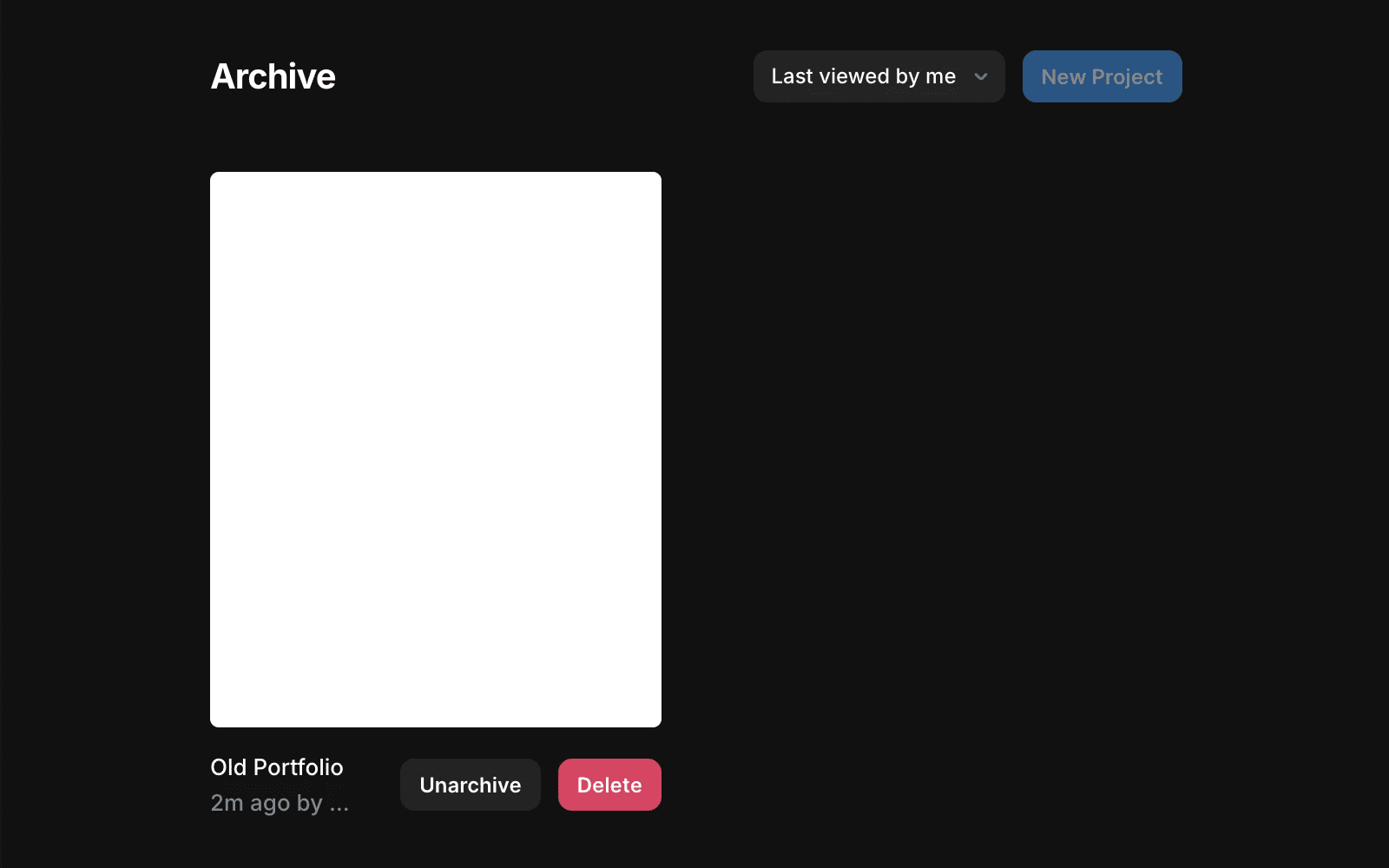
Open the Archive folder.
Locate the project you want to delete.
Click Delete.
Confirm the deletion.
Once confirmed, the project is permanently removed from your workspace.
What happens after deletion?
When a project is deleted:
The associated website is automatically unpublished.
The project is permanently removed.
The project cannot be recovered.
If the project has a custom domain connected, the domain is not detached automatically. Contact the support team through the Contact page if you need help reusing the domain.
Empty the archive
Workspace admins can permanently delete all archived projects at once.
To empty the archive:
Open the Dashboard.
Open the ••• menu next to the archive folder.
Select Empty Archive.
This permanently deletes all projects currently stored in the Archive.
FAQ
Can I delete a project without archiving it first?
No. Projects must be moved to the archive before they can be permanently deleted.
Can I restore a deleted project?
No. Project deletion is permanent and cannot be undone.
What happens to my custom domain when a project is deleted?
The domain is not detached automatically. Contact support if you need assistance reusing the domain.
